
Commissioning software for project managers
Digitize and streamline your commissioning projects
Our Customers
Digitize Your Workflows
Bluerithm’s cloud-based software can be customized to adapt to your unique process
Role-Based Access Control (RBAC)
Owner, commissioning professionals, Architects, Engineers, contractors, construction managers, subcontractors
External Guest User Collaboration
Limited accounts for subs/vendors
Ball-in-court Tracking
One clear current owner; easy reassignment
Review States
Approved, Approved as Noted, Revise & Resubmit, Rejected, For Record Only
Digest Emails
Daily/Weekly summaries by project/discipline
Notifications
Submission received, assigned for review, @mentions, decision posted
Threaded Comments
Per file, per page, or anchored to markups; @mention people/roles
Reviewer Coordination
Parallel review with visibility of others' comments; conflict resolution view
Complete Audit Trail
See who did what/when (submission, open/view, comment, decision, stamp, distribution)
Operational Dashboards
Progress % by company/discipline
Offline Capability
Draft comments/markups cached; sync on reconnect
Use on Any Device
Use Bluerithm on smartphones, tablets, and PCs online or offline
Multi-Language Support
Bluerithm natively supports major regional languages for our international customer base
Digital Documentation
Store digital documents and photos on your projects, attach to equipment, and include in final reports
Generate Reports
Build customizable reports including final reports from anywhere including your real-time project data and export them as PDFs
30,000+ people
use Bluerithm to manage their projects
Digitize and streamline your processes
Bluerithm's features
Forms and Checklists
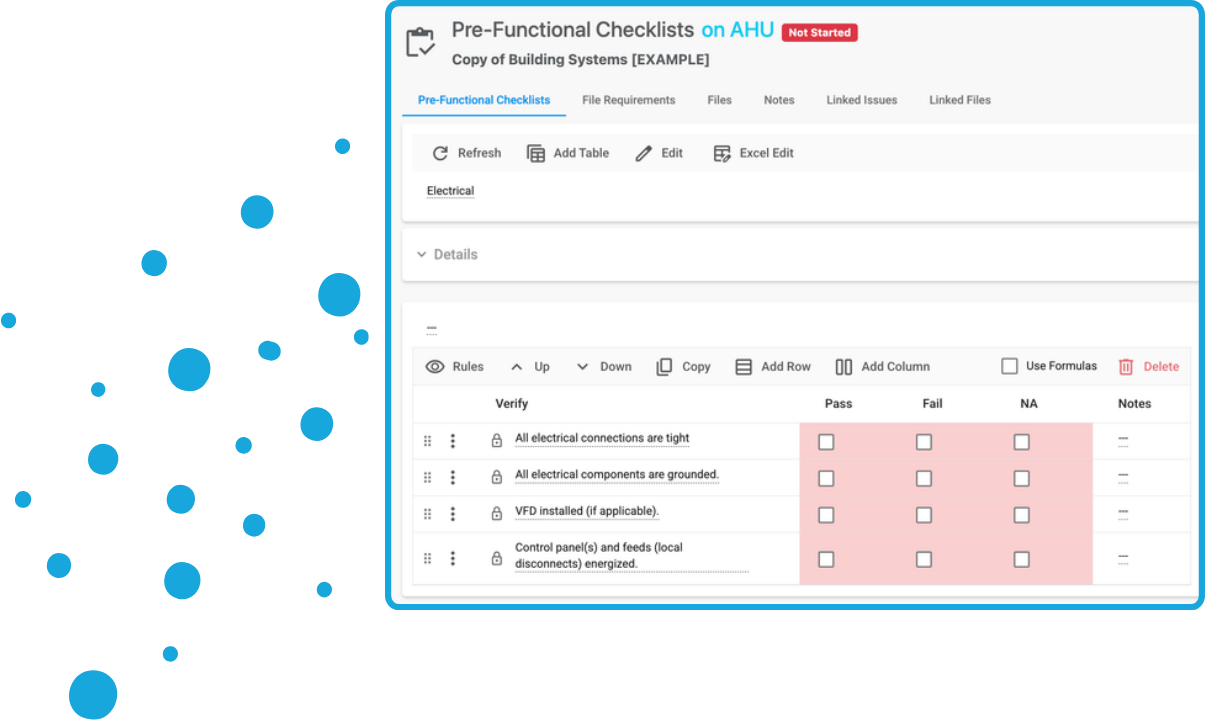
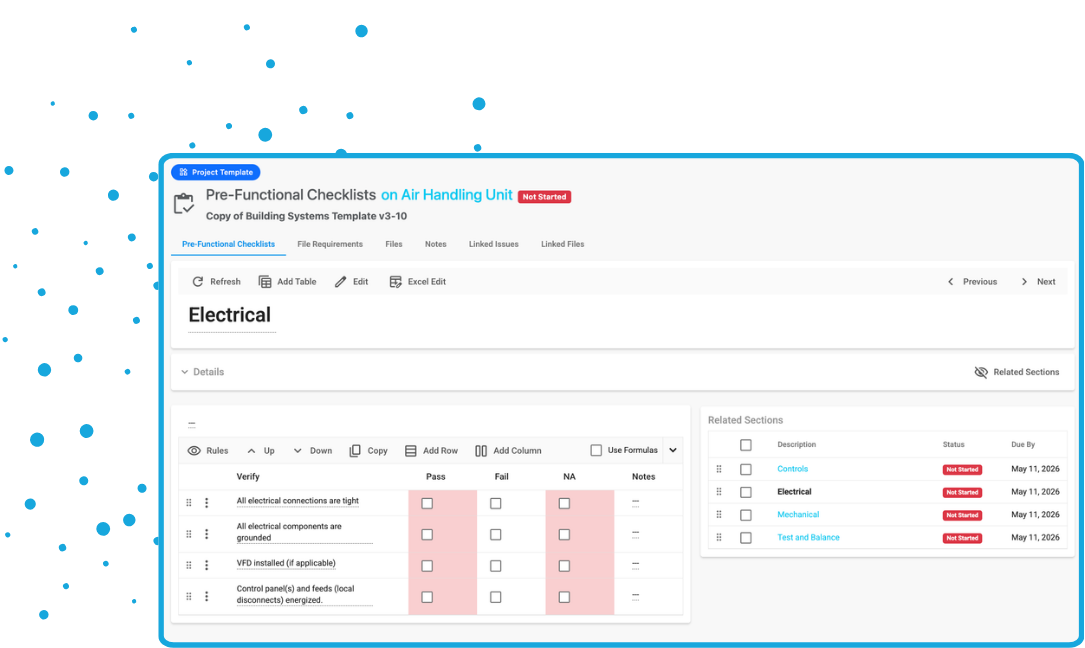
Create test procedures, checklists, and other forms.
- Convert your existing forms and checklists, use our templates, or start from scratch
- We can help convert your forms and checklists during onboarding
- Create RFIs, site visits, submittal reviews, and meeting checklists
- Create installation checklists, general checklists, functional or integrated systems tests
- Include equations and validation
- Standardize using shared templates
- Automatically create issues
Equipment
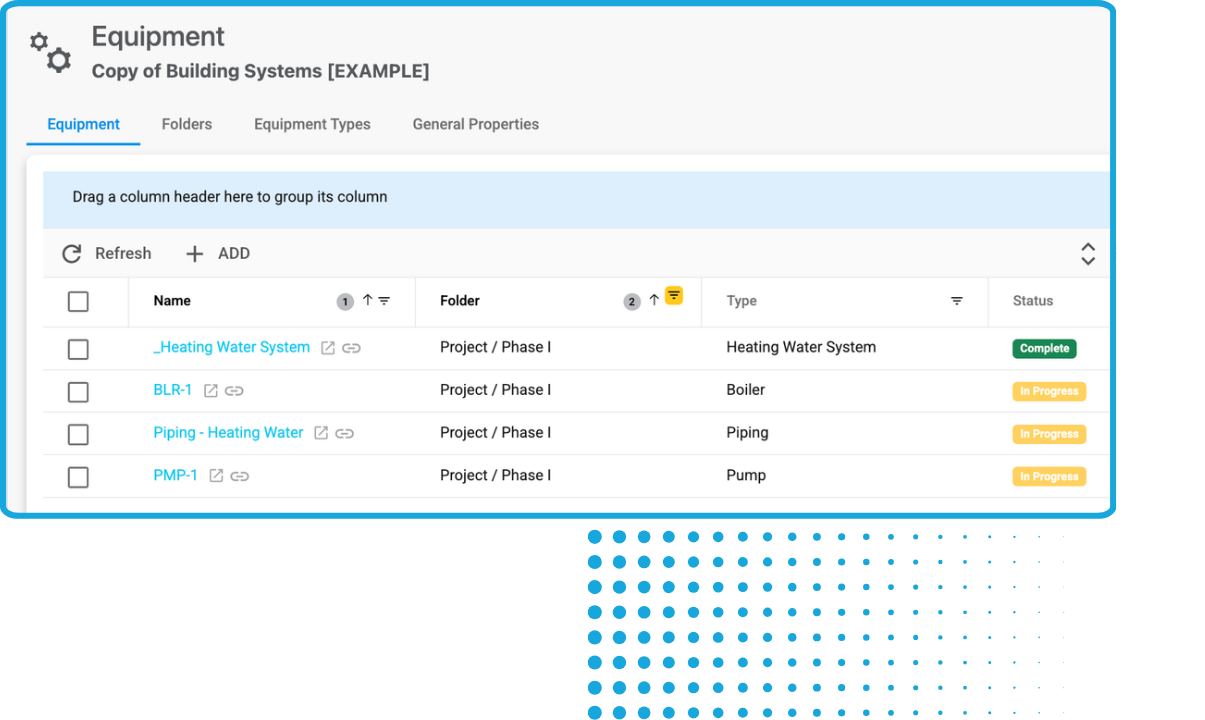
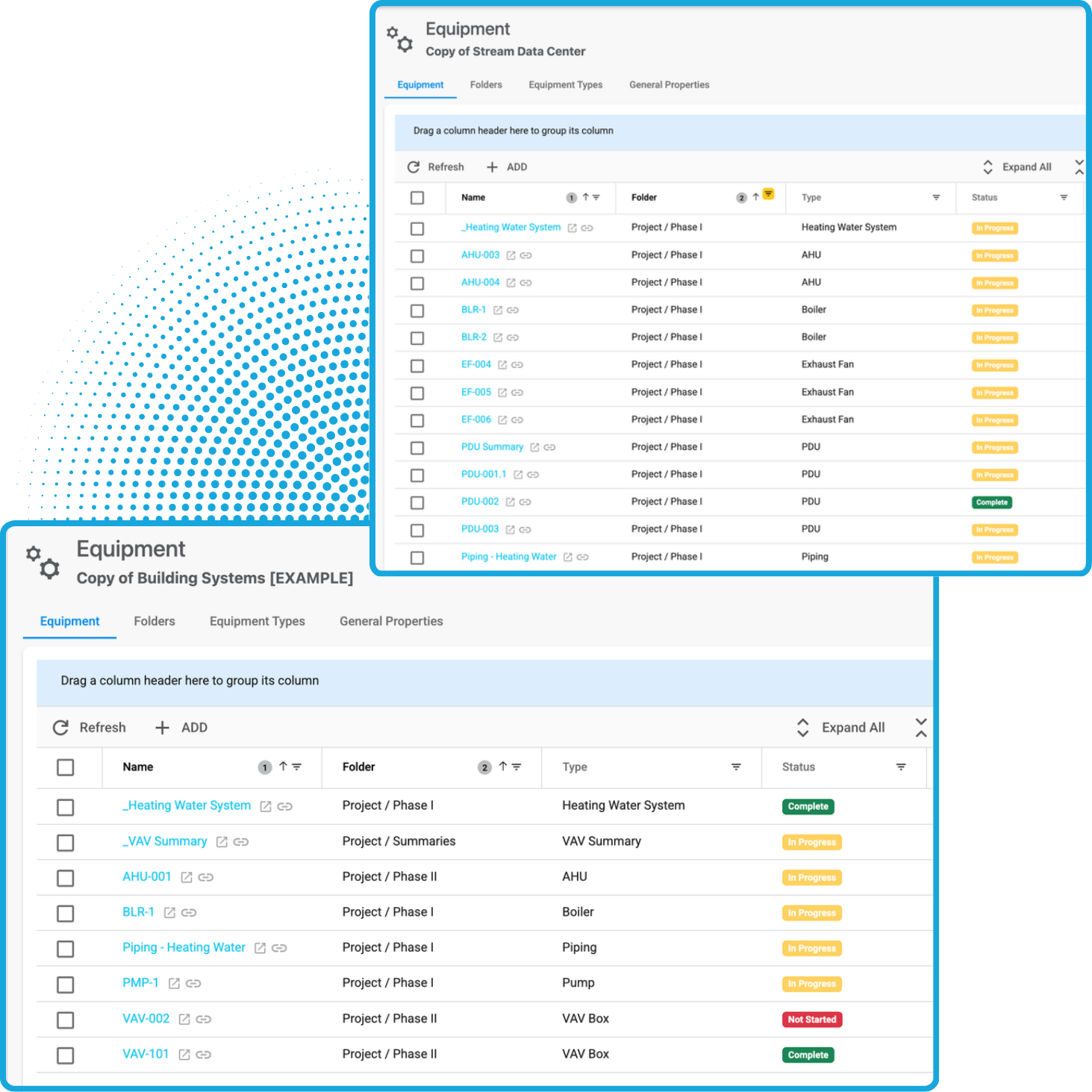
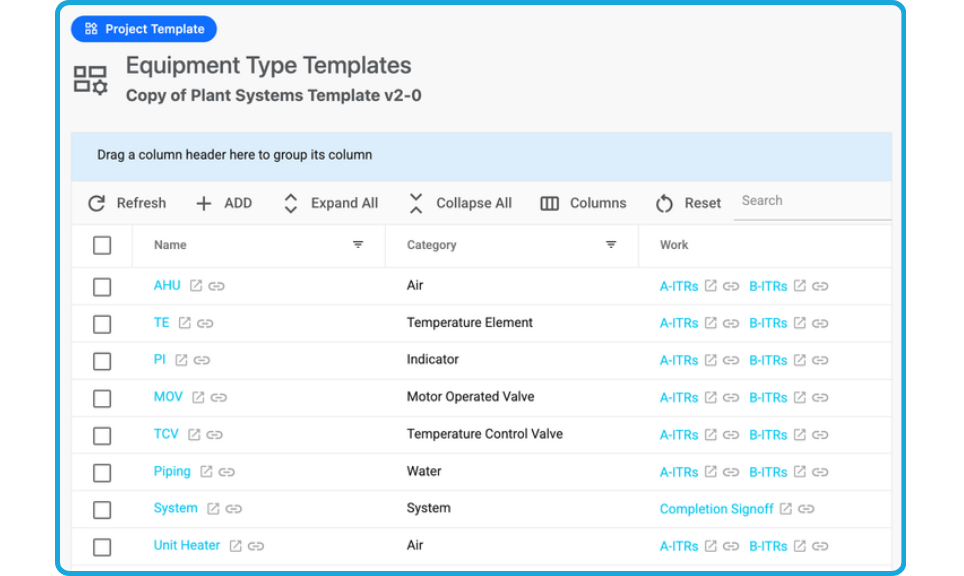
Upload your equipment lists and automatically attach forms and checklists to each piece of equipment. Bluerithm allows you to add thousands of equipment tags to projects.
- Create digital equipment lists and link to real-time data
- Add any type of equipment
- Customizable naming
- Organize equipment in folders
- Group equipment by type
Issue Tracking
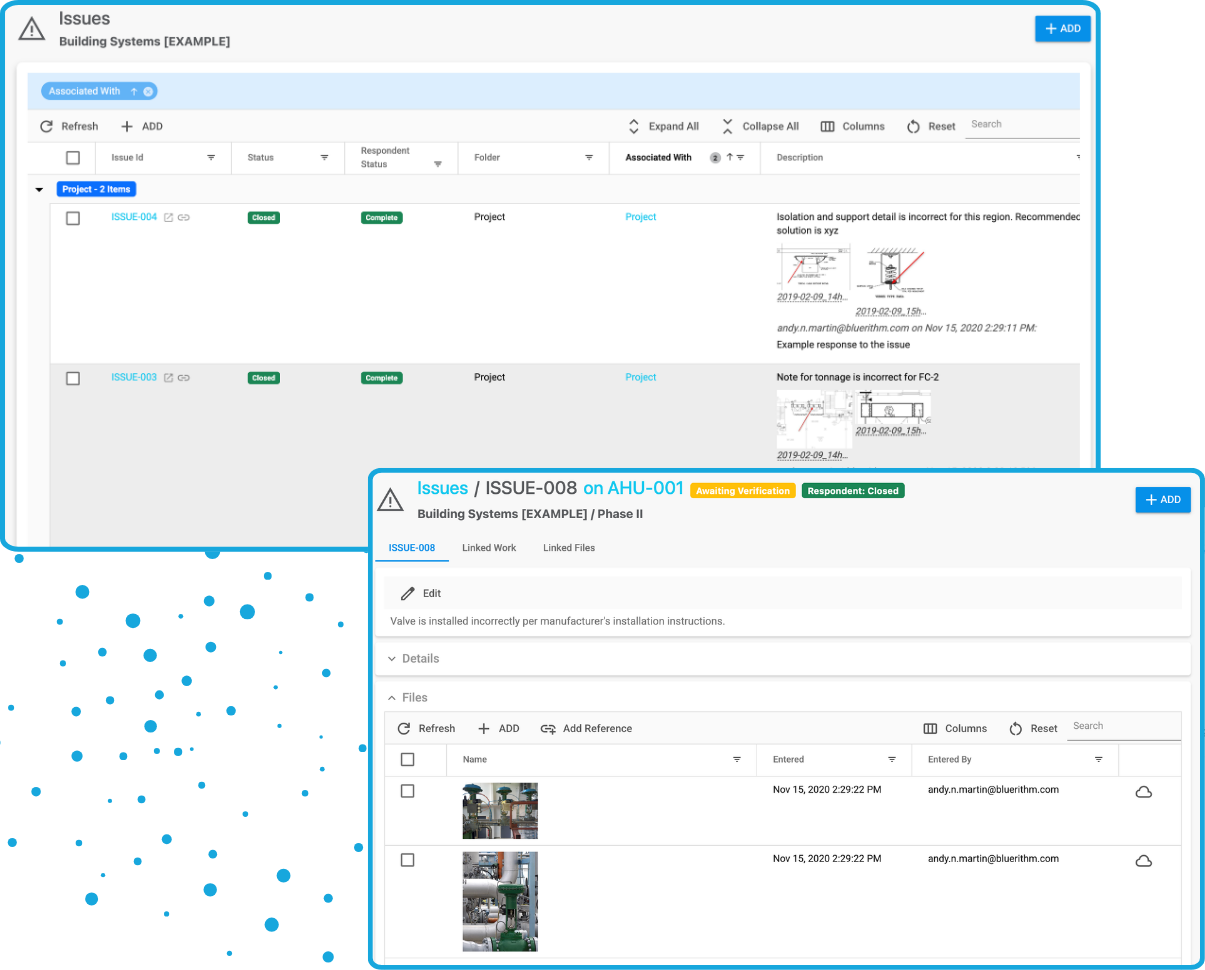
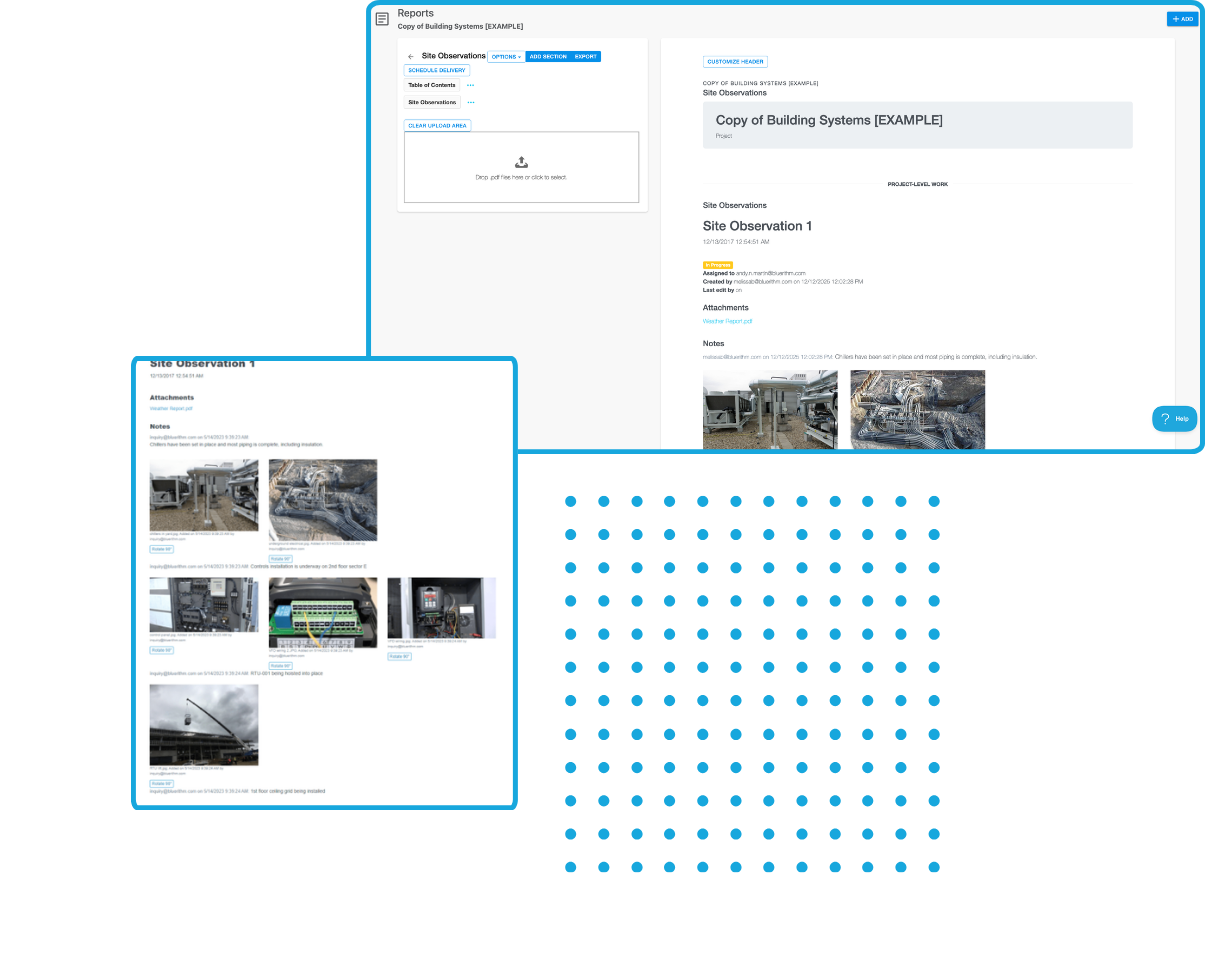
Log issues in the field with detailed notes, photos, and timestamps. Internal staff, contractors, and clients can easily access the records in real time.
- Centralized issue management system
- Seamless tracking, resolution, and accountability
- Easily build issue reports
Document Management
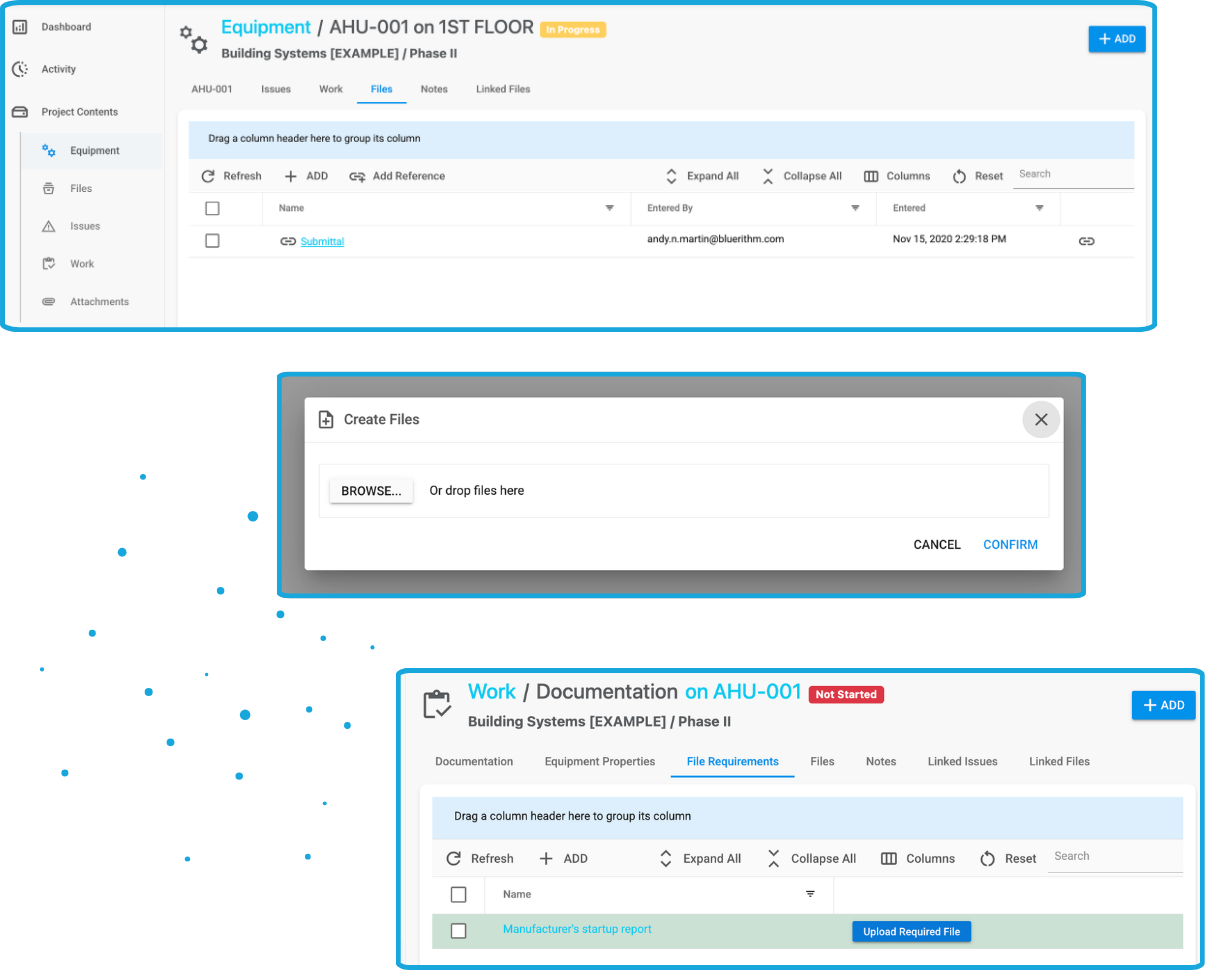
Organize, store, and manage all documents related to your projects. Make documentation easily accessible to the right people at the right time.
- Store PDFs, images, and other documents
- Attach files to specific checklists, forms, and equipment
- Create requirements for file uploads
- Include responses, notes, and files on work items
- Include images and other documents on issues
Powerful reporting for project managers
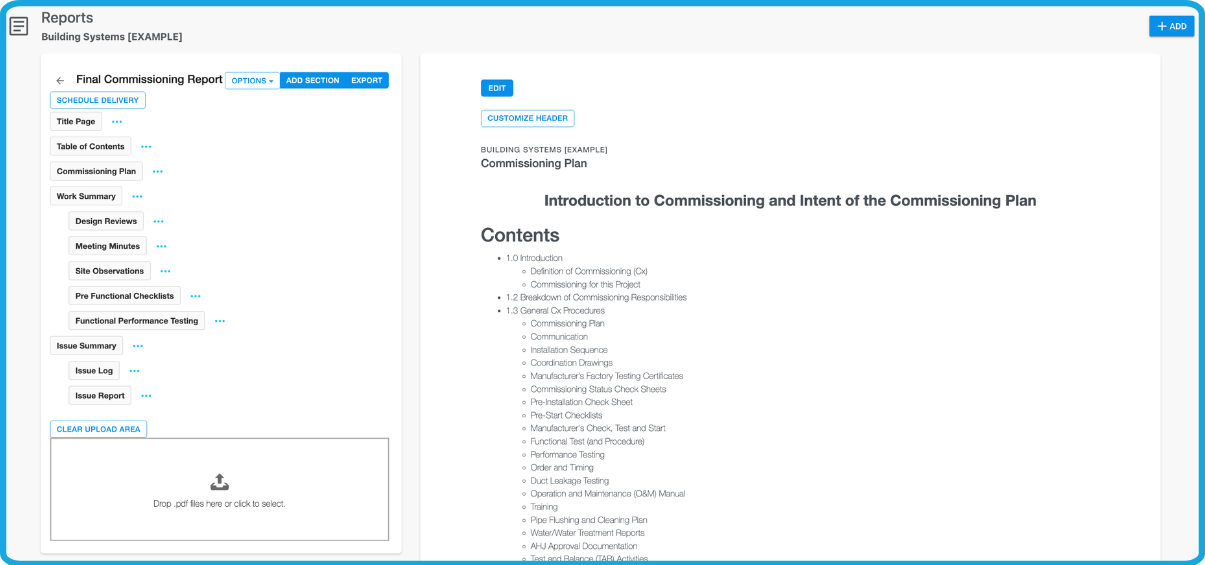
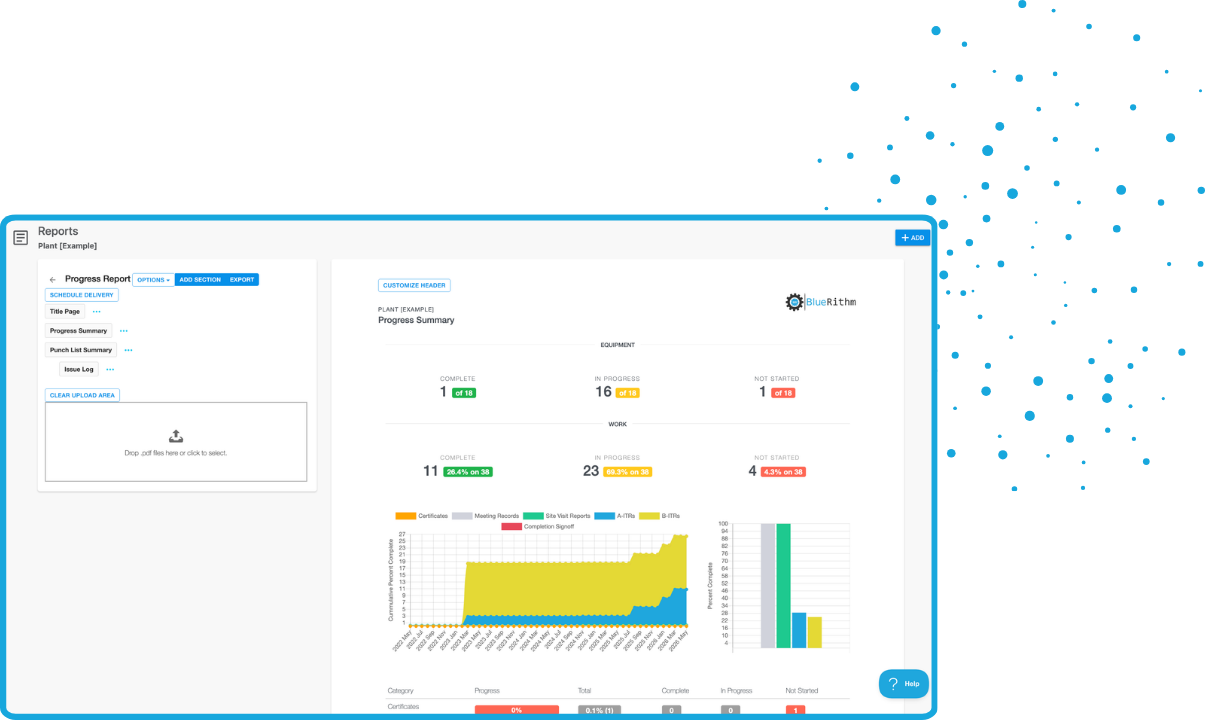
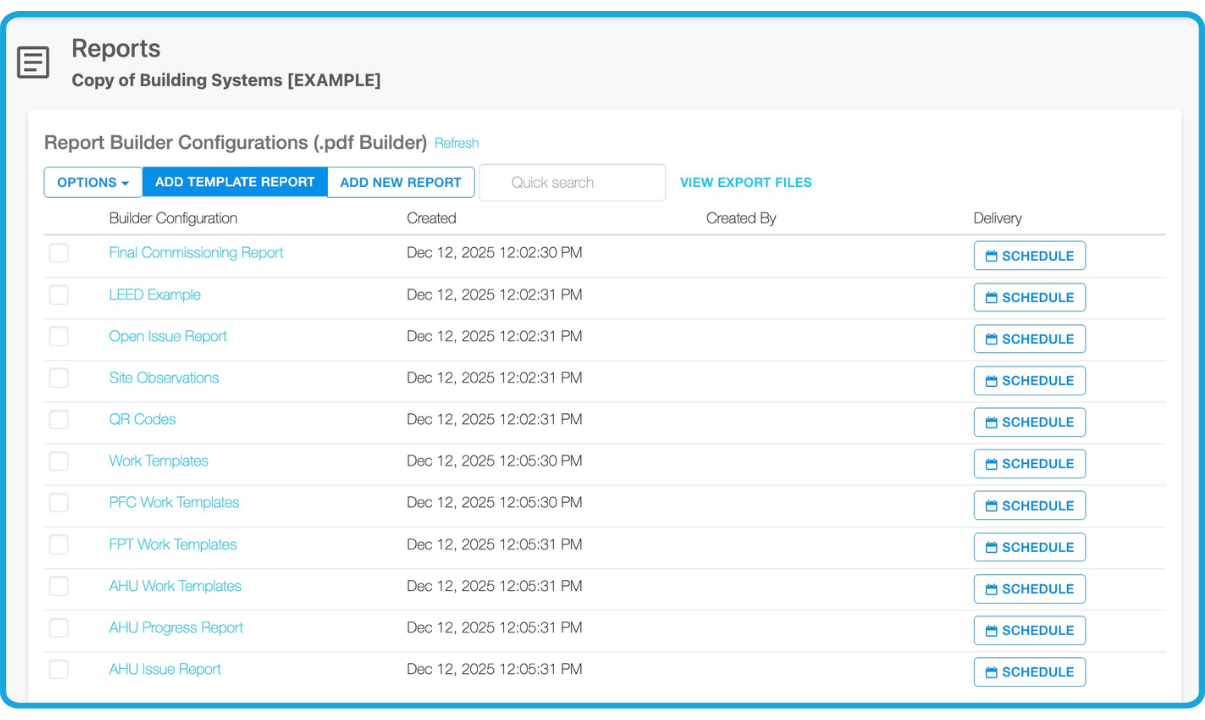
Our easy to use report builder allows you to create progress reports, issue reports, and final reports with just a few clicks.
Create Templates
Create reusable templates for reports you regularly use on your projects. Present a consistent and professional face to internal and external stakeholders with uniform report formats.
Full Text Editing
Bluerithm's report builder includes a rich text editor with formatting capabilities.
Embed Project Data
Embed checklists, issues, and summaries including built-in charts.
Export PDFs
Build customizable reports from anywhere including your real-time project data and export them as PDFs. Generate reports that are hundreds and thousands of pages long.
See real-time project data
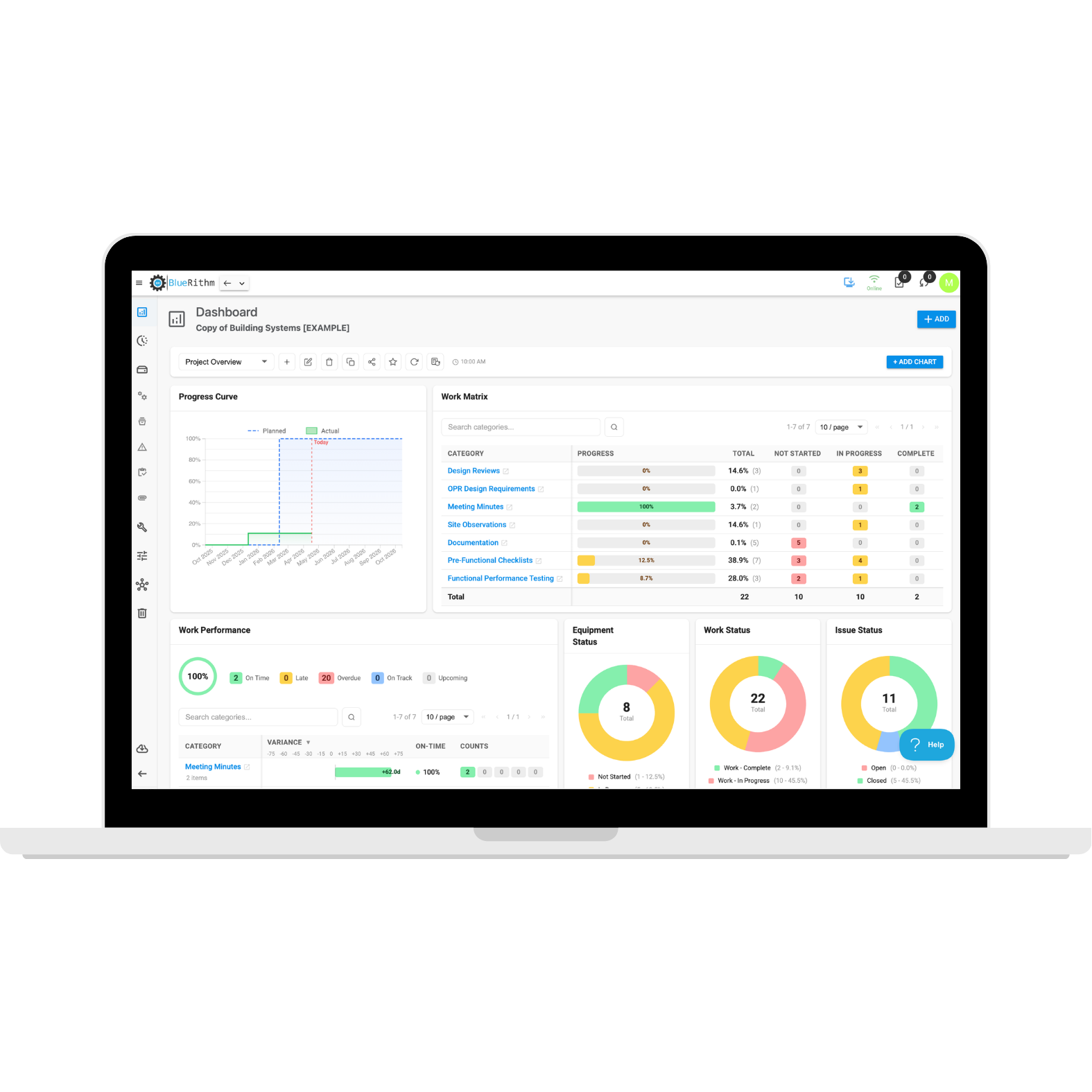
Summary Dashboards
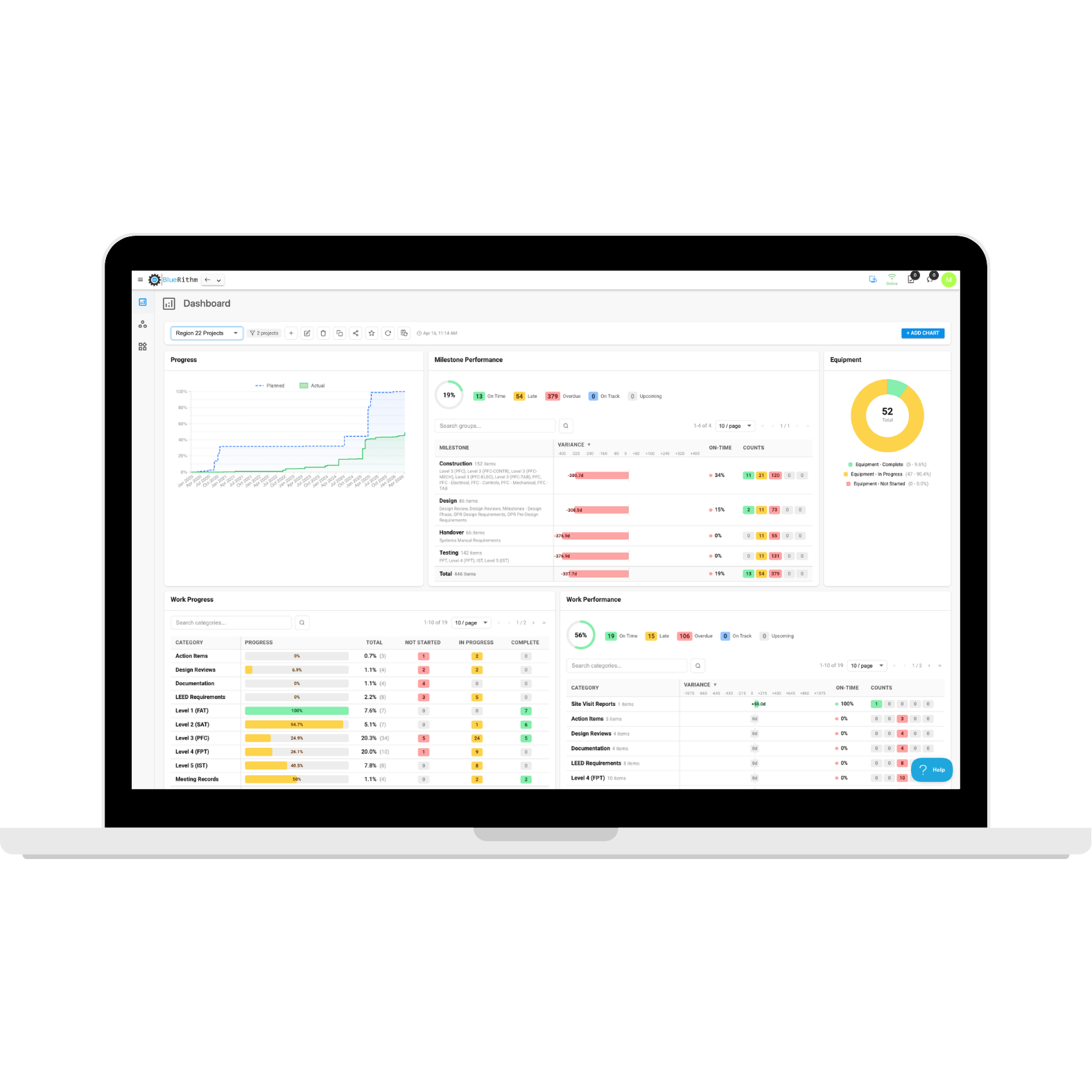
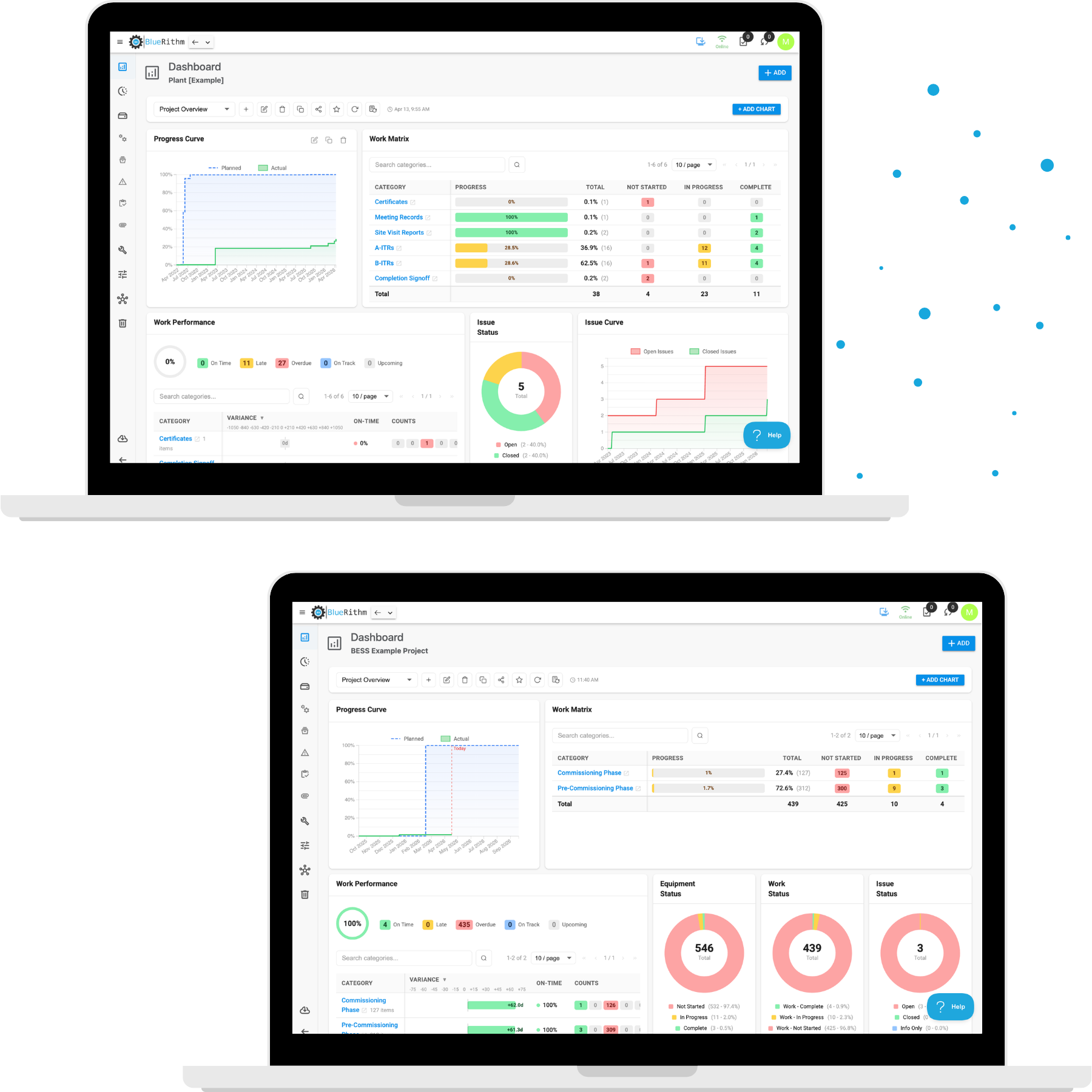
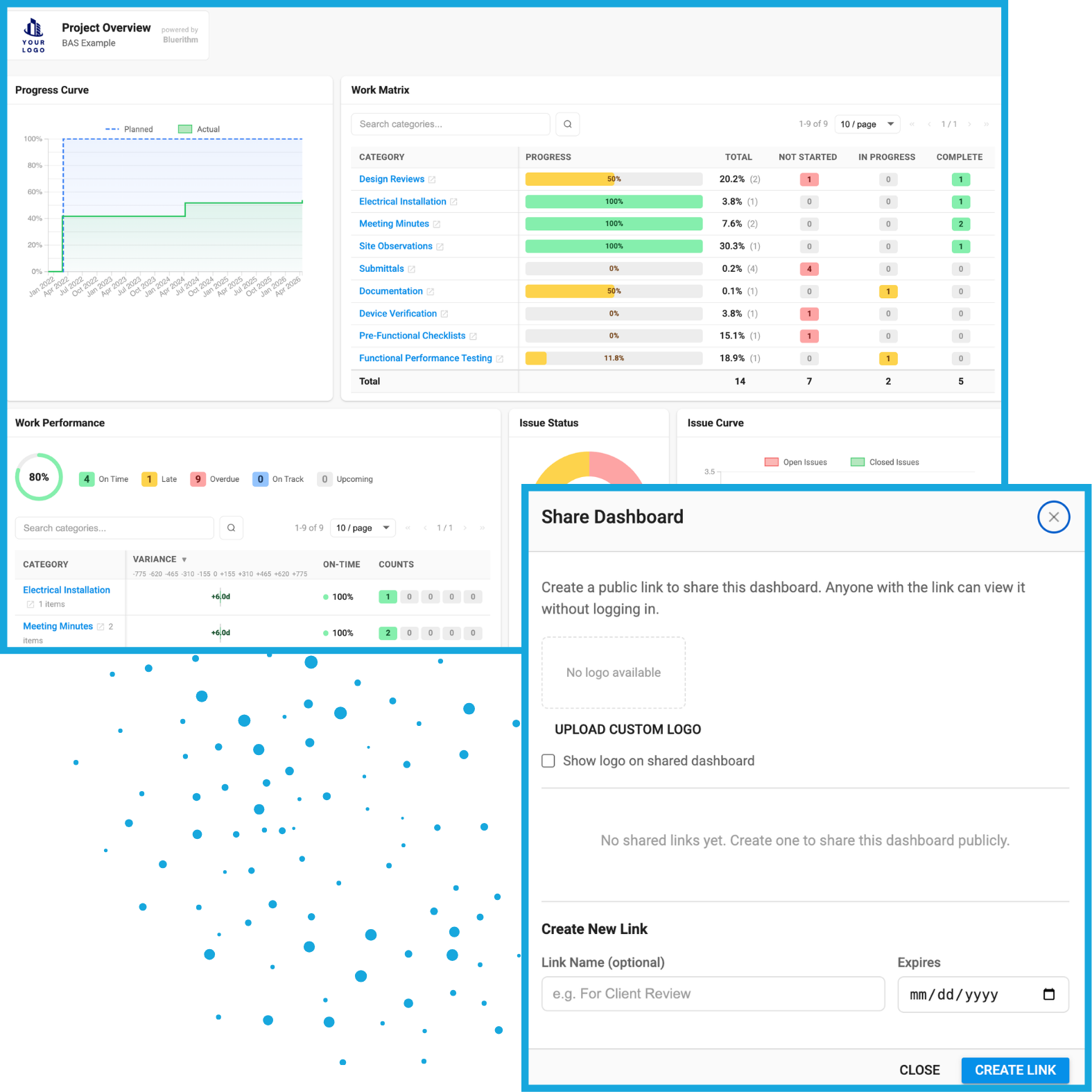
Bluerithm has summary dashboards for work and issues so you can see progress in real-time on your project.
- View all checklist and test completion progress in one dashboard
- Share live dashboards easily with stakeholders with clickable links
- Filter dashboards to drill-down to what you want to see
- Save filters
- View summary dashboard of all issues open and closed
- See issues by company assigned
Portfolio Oversight Dashboard
View a complete status of operational readiness across multiple projects – installation, startup, assurance, and commissioning, in one place.
- View checklist and test completion progress for multiple projects in one dashboard
- View summary dashboard of all issues open and closed for multiple projects
- See all issues for multiple projects by company assigned
- Filter portfolio overview by company
Increase your productivity with Bluerithm's built-in tools
AI Tools for Generating Forms and Checklists
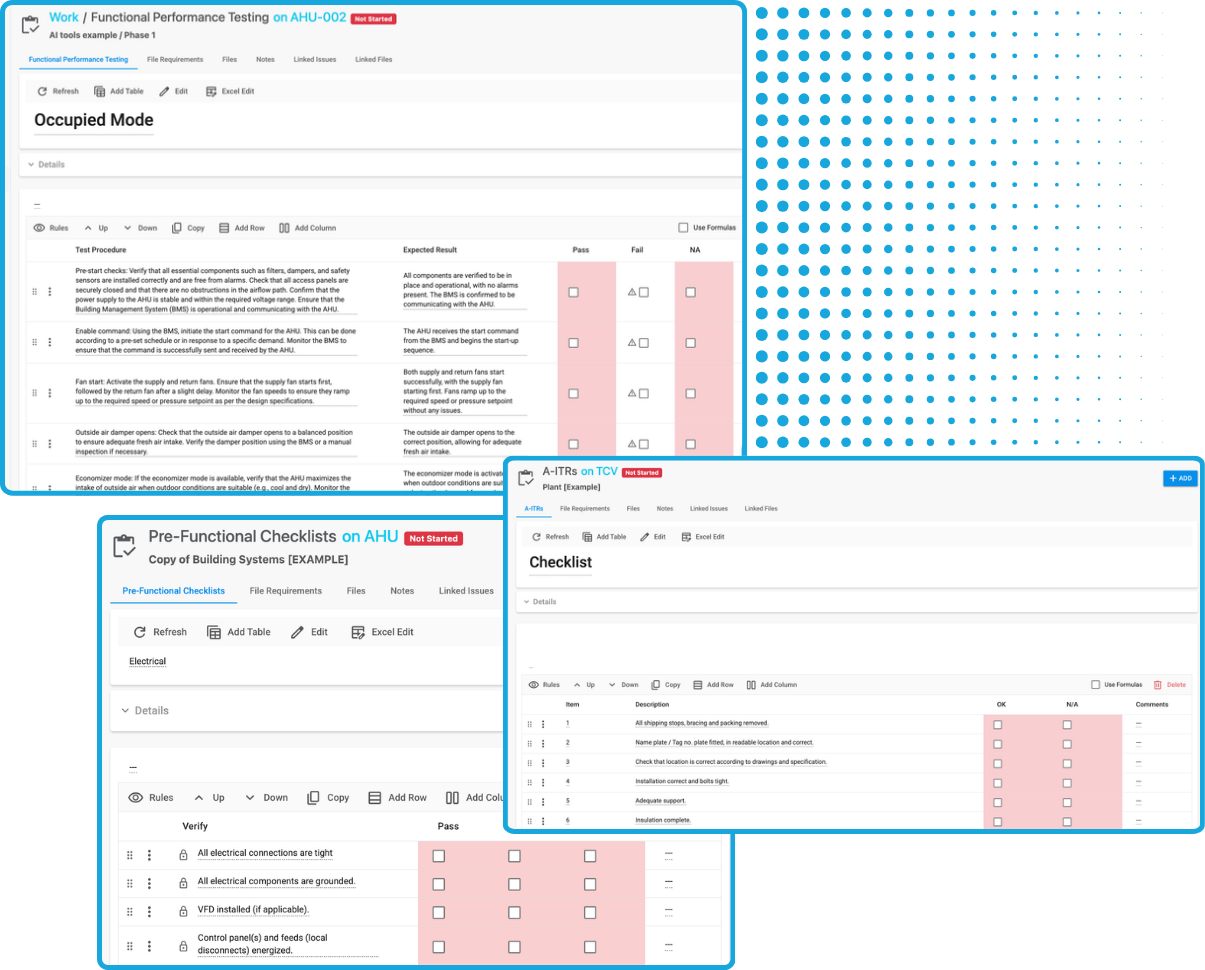
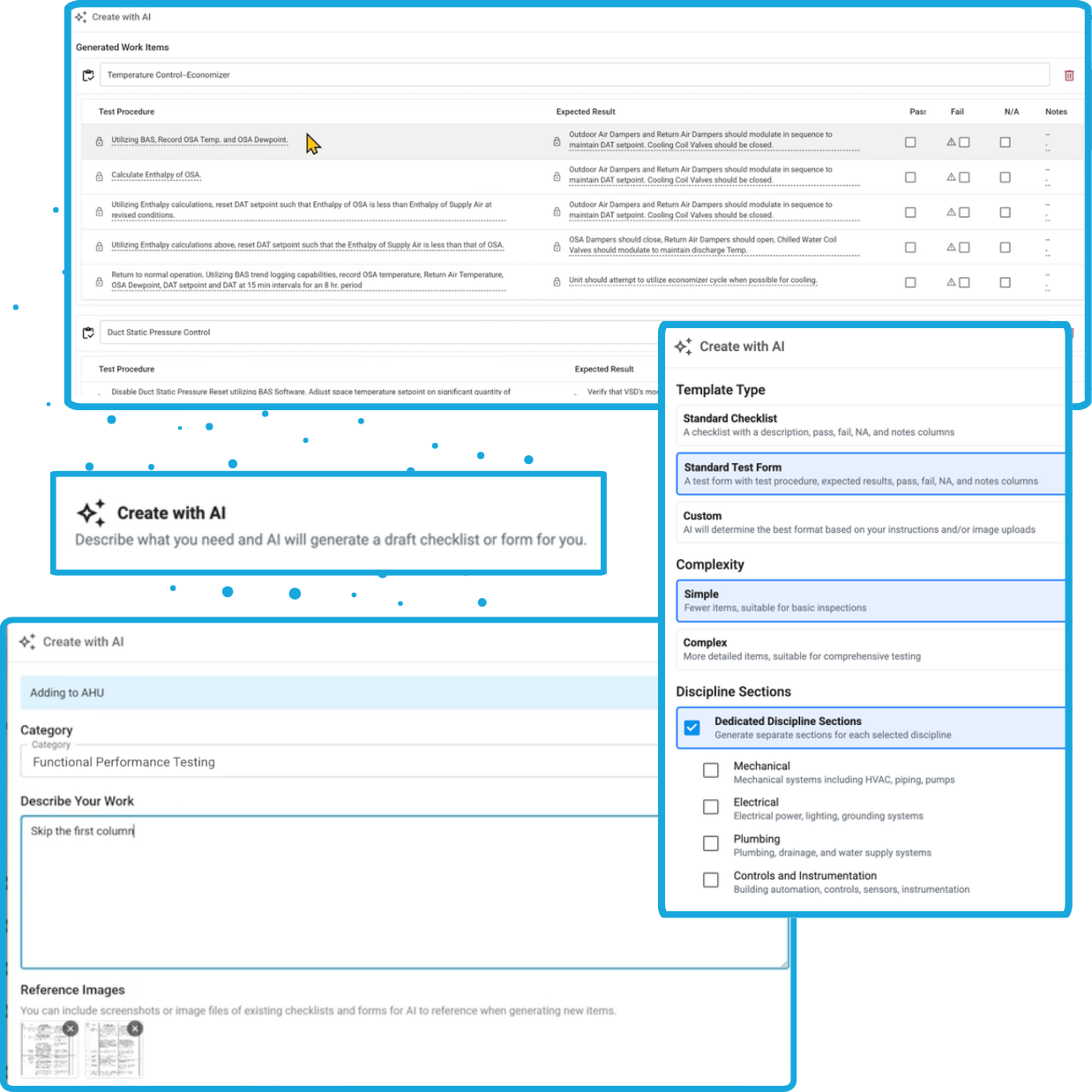
Bluerithm has AI tools that can automatically generate custom test procedures, checklists, and other process tracking forms based on your instructions.
- Leverage AI to save time
- Installation checklists
- Process guides or general checklists
- Functional or integrated systems tests
- Generate individual sections/tables for simple test forms or checklists
- Generate comprehensive, complex test forms from large sequences of operation automatically
Free Bluerithm Templates
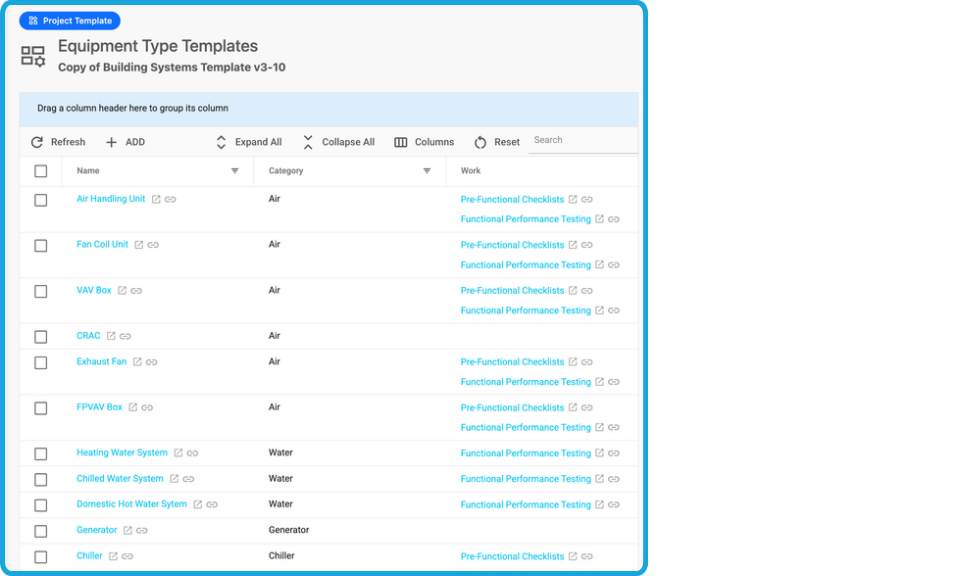
Get access to free templates for commissioning, equipment startup and quality control, and other construction templates when you start a Bluerithm account.
- Commissioning templates for commercial buildings
- Pre-Functional Checklist templates
- Functional Performance Test templates
- Building systems commissioning templates
- Design review templates for commissioning
- Site visit report templates for commissioning
- Meeting minutes templates for commissioning
Bulk Editing
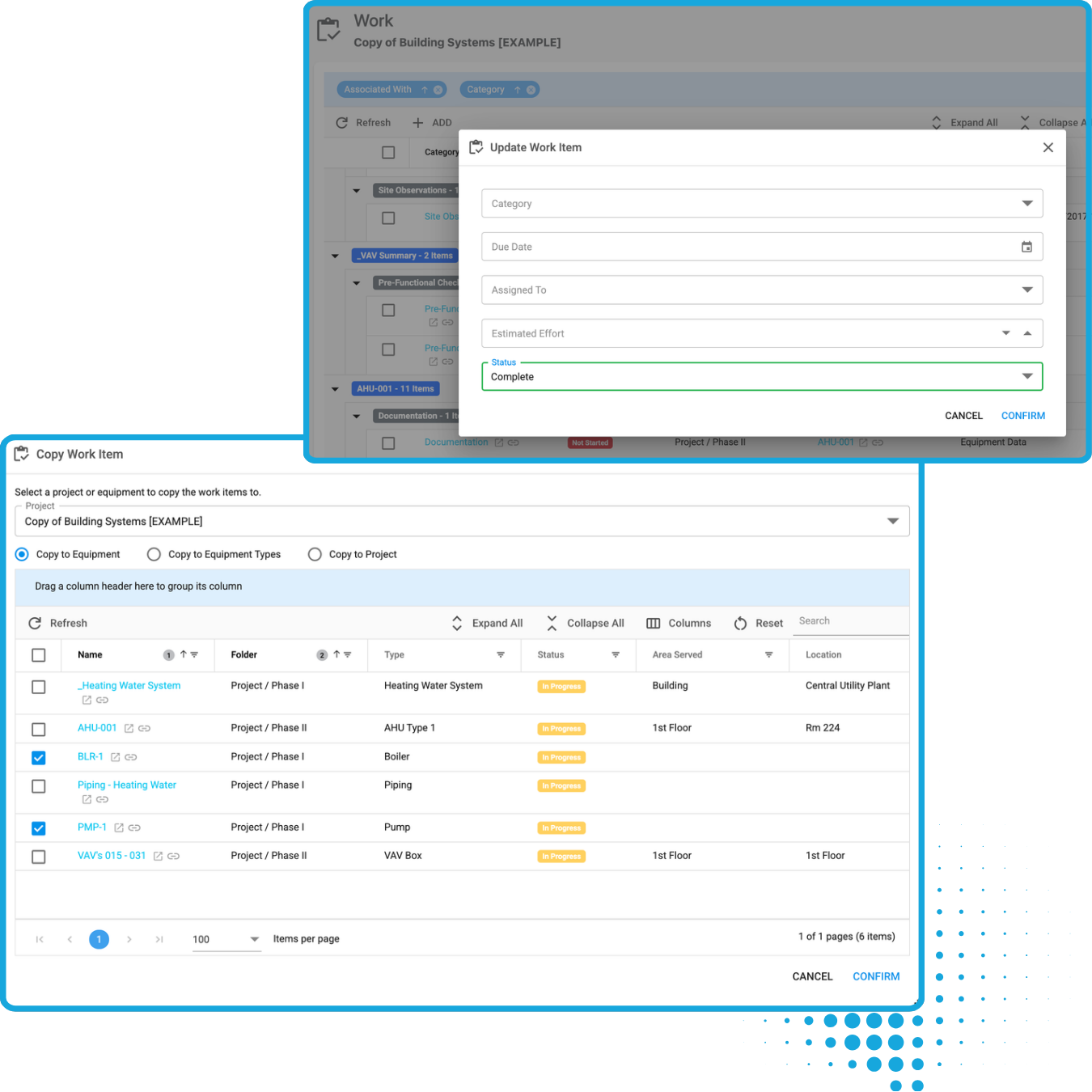
Apply updates across hundreds of pieces of equipment and issues with just a few clicks. Copy checklists and forms onto multiple pieces of equipment at one time.
- Update checklists in bulk
- Update assignments in bulk
- Update issue status in bulk
- Add tags in bulk
- Edit due dates in bulk
Integrate with construction industry tools
Connect the tools and data you use on your projects
See what others are saying.
From single-person firms to enterprise firms, our software has allowed our customers to manage their entire commissioning process.
Bluerithm has been an excellent tool and an excellent value. I've used the tool on jobs of various sizes and it is as effective as any other commissioning platform out there. It's very easy to integrate the dashboard into a commissioning meeting and give the entire team a status update in a snapshot. New project setup is a snap.
Josh
Commissioning Manager
We chose Bluerithm for precisely that reason: we've not had to compromise anything about how we do our business with this tool. This means our clients continue to enjoy the meticulous and transparent standard of service that we're known for.
Keith Olberding
Senior Commissioning Engineer, Cornerstone Commissioning
The other platforms we considered were too rigid, requiring us to overhaul our existing workflows. Bluerithm's flexibility allowed us to adapt it seamlessly into our existing workflows while also maintaining the ability to meet the needs of a wide variety of projects.
Connor Tobin
Project Engineer, JB&B Field
Case Studies
Real success stories from organizations using Bluerithm.
Building Commissioning Projects
How JB&B Field™ Took Its Esteemed Commissioning Process to the Cloud
Municipal Buildings Commissioning Projects
How Matador Engineering Delivers Mission-Critical Commissioning with Bluerithm
School District Buildings Commissioning
How San Diego Unified School District Doubled Project Capacity with Bluerithm’s Cloud-Based Commissioning Software
Resources to help you learn more about Bluerithm
We have resources including videos, case studies, a blog, and a knowledge base. Learn more about how Bluerithm can help streamline your project management processes.