


Scalable, customizable commissioning software for small companies


Designed for small teams to scale
Bluerithm empowers you and your team of a few commissioning professionals to manage commissioning projects at scale
Add Collaborators
Give your team, contractors, vendors, and clients access to projects and assign work and issues. Role-based access control.
Manage Multiple Projects
Add your new and existing projects. Our smaller customers mention they are able to manage more projects when they move from paper/Excel/Word/PDF documents to Bluerithm.
Multi-Factor Authentication (MFA)
Multi-factor authentication (MFA), when turned on for your account, adds additional security by requiring everyone accessing your account to verify their identity with a two-step process.
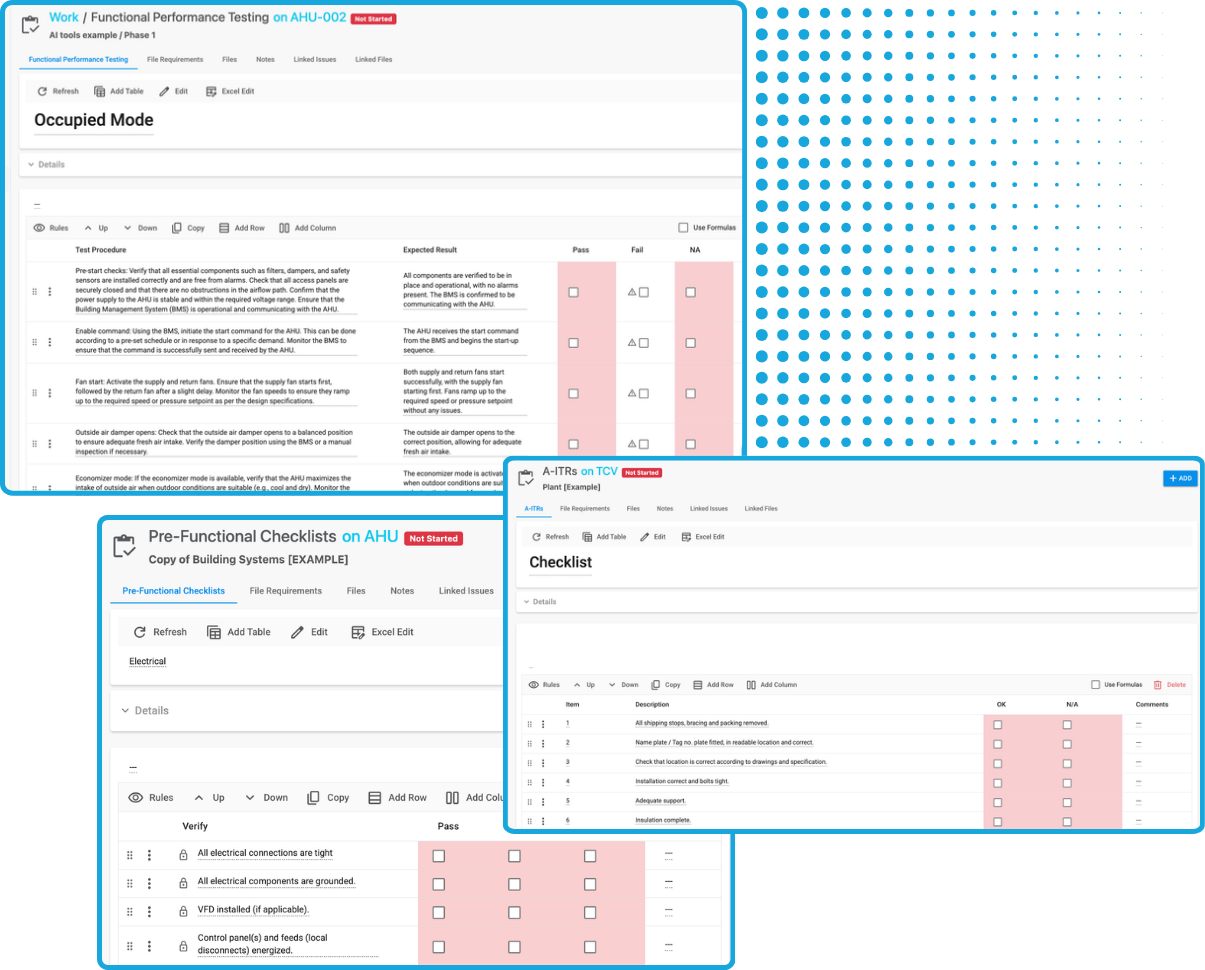
Digital Forms and Checklists
Create custom forms and checklists that include equations and validation. Standardize your checklists and use on multiple projects. Add checklists and forms to thousands of equipment tags.
Centralized Issue Tracking
Team members in the field can log issues with detailed notes, photos, and timestamps. Your team, contractors, and clients can access these records in real time.
Batch Editing
Bluerithm's batch editing features allow you to edit hundreds of equipment tags, tests, and issues in one go.
Customizable Workflows
Adapt templates and documents to suit different project types and client preferences.
Documentation and Reporting
Create final delverables—such as commissioning plans and comprehensive reports—using the built-in report builder to create standardized outputs with minimal manual effort. Export reports that are 1k+ pages long.
Use on Any Device
Use Bluerithm on smartphones, tablets, and PCs online or offline. Offline capability allows work to be done in the field and synced on reconnect.
Digitize Your Cx Workflows
Flexible, adaptable, scalable, and easy to get started

Reusable Templates
Create a reusable template library for checklists and forms you regularly use for your equipment and projects.
Easy Project Setup
Create a new project in minutes using your templates. Ability to add thousands of equipment tags.
Track Issues
Create, assign, and track issues on your projects. Easily view details including attachments.
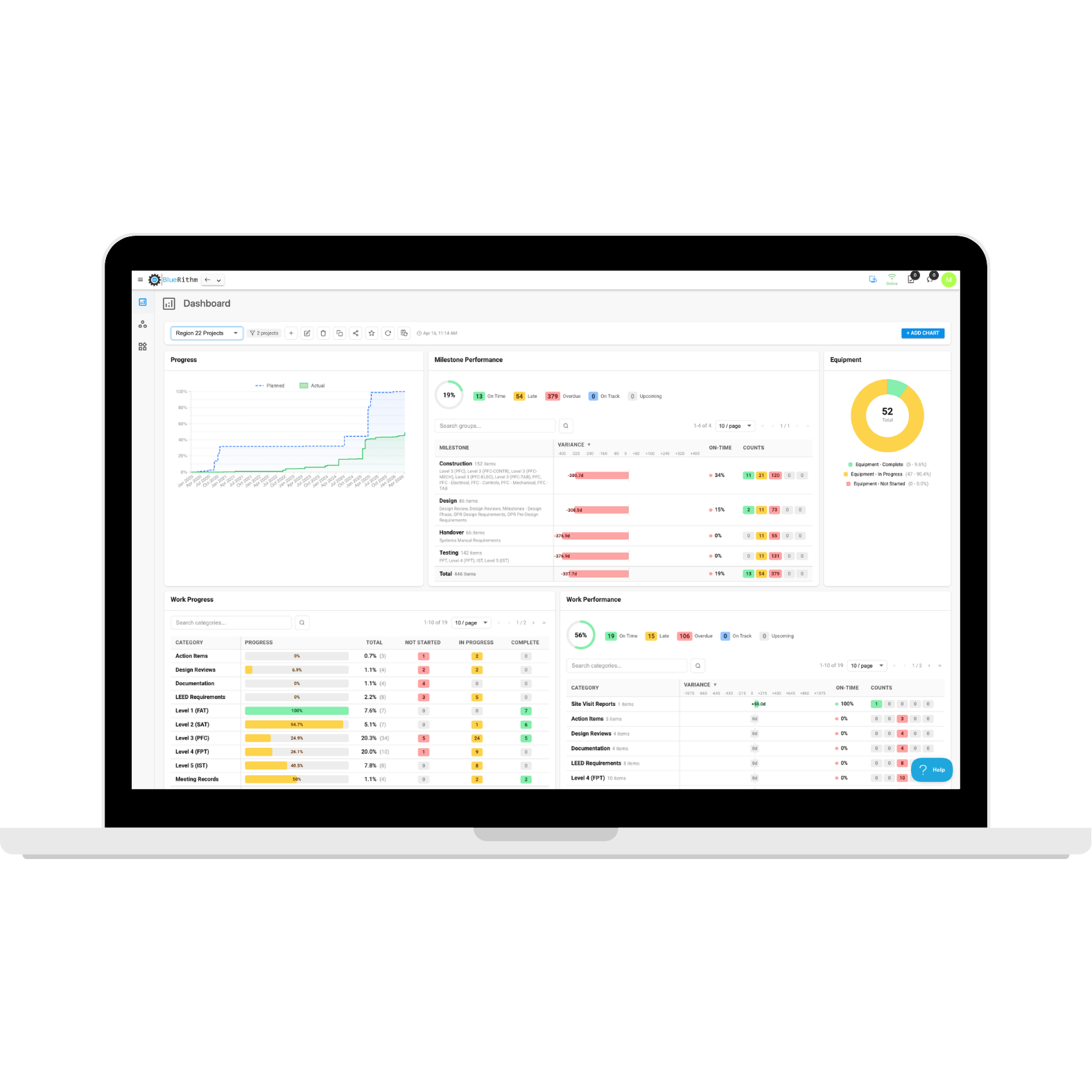
Progress Metrics
Give all stakeholders interactive access to all real-time project data.
See real-time project data
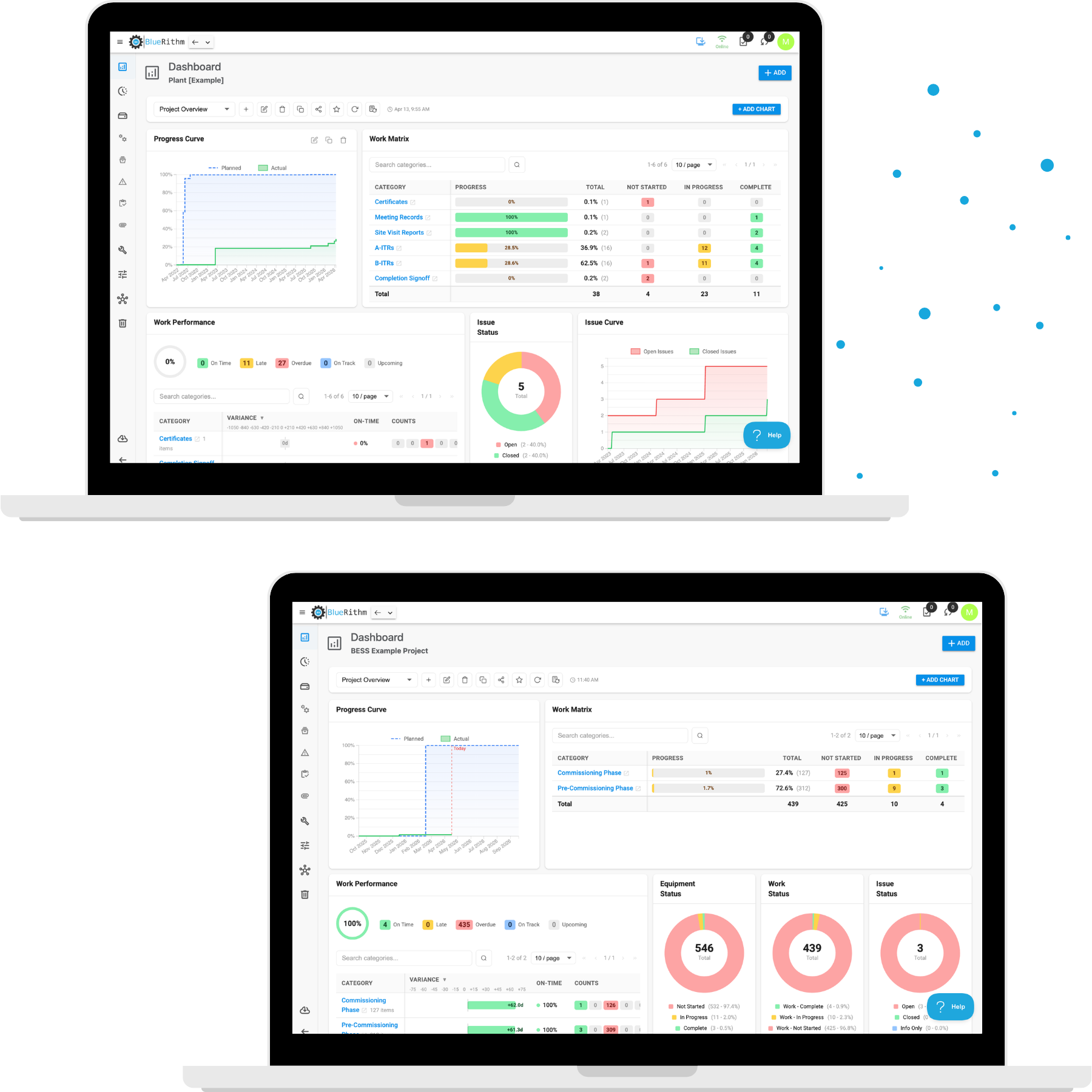
Portfolio Dashboards
Pull data from groups of projects or all projects on your account
- Add and customize charts
- Track progress and performance
- Track milestones
- Produce high level overviews for leadership and clients
- Great for groups of projects for a specific client, campus projects, chain store projects, airport projects, and more
Project Dashboards
Pull data from individual projects
- Add and customize charts
- Track progress and performance
- Track milestones
- Produce high level overviews for leadership and your client
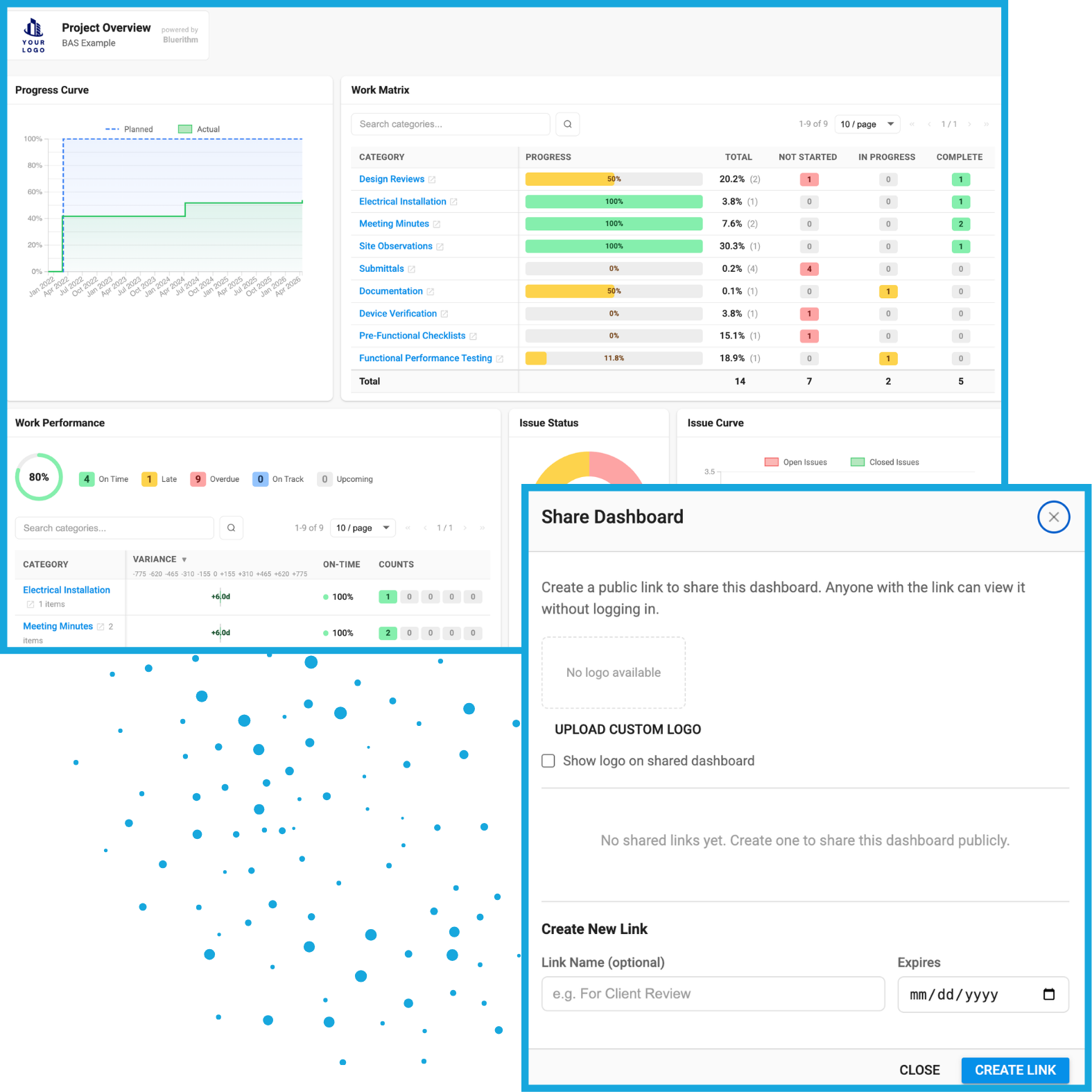
Share Dashboards
Create shareable public links with your custom branding on the dashboards, including the option to have an expiration date
Integrate with construction industry tools
Connect the tools and data you use on your projects
Bluerithm API
Programmatically access data from your Bluerithm account and projects.
View integrationProcore Integration
Create embedded dashboards and integrate data to synchronize Procore Observations and Bluerithm Issues.
View integrationAutodesk Construction Cloud Integration
Create embedded dashboards and integrate data to synchronize ACC and Bluerithm Issues.
View integrationWillow Digital Twin Integration
Automatically synchronize Bluerithm equipment and equipment properties with assets in a Willow Digital Twin.
View integrationPrism Integration
Automatically synchronize Bluerithm equipment and equipment property data with equipment in a Prism property (building).
View integration

30,000+ people
use Bluerithm to manage their commissioning projects
Digitize and streamline your processes
Explore how companies like yours are scaling their commissioning projects with Bluerithm

Transportation Commissioning Projects
How Argento / Graham Used Bluerithm to Keep 6 LAX APM Commissioning Projects on Track

Municipal Commissioning Projects
Powering Public Projects: How Matador Engineering Delivers Mission-Critical Commissioning with Bluerithm

Hotel Commissioning
Modern Commissioning for a Historic Landmark: Efficient Energy Compliance Uses Bluerithm for the Waldorf Astoria Renovation
Don’t just take our word for it
We believe Bluerithm should be accessible to all companies for all projects, no matter the size.
I've gotten great support really fast all the time. Offers to help streamline-just the right amount. Not pushy, but not silent either. It's been great. That's been a real bright spot.
Duke Graham
We saw in Bluerithm the ability to bridge the gap between canned software and customizable documentation. It's like having a dynamic, web-based Excel database that can grow with us.
Sergio Bustamante
We were starting to take on larger projects and needed something more efficient than paper and binders. Bluerithm gave us the structure and flexibility we needed.
Matt Freiman
