


Scalable, customizable commissioning software for midsize companies


Designed for midsize teams to scale
Bluerithm empowers your team of less than 100 employees to manage commissioning projects at scale
Add Hundreds of Collaborators
Give internal staff, contractors, vendors, and clients access to projects and assign work and issues. Role-based access control.
Manage Multiple Projects
Add your new and existing projects. Our midsize customers mention they are able to manage more projects when they move from paper/Excel/Word/PDF documents to Bluerithm.
Multi-Factor Authentication (MFA)
Multi-factor authentication (MFA), when turned on for your account, adds additional security by requiring everyone accessing your account to verify their identity with a two-step process.
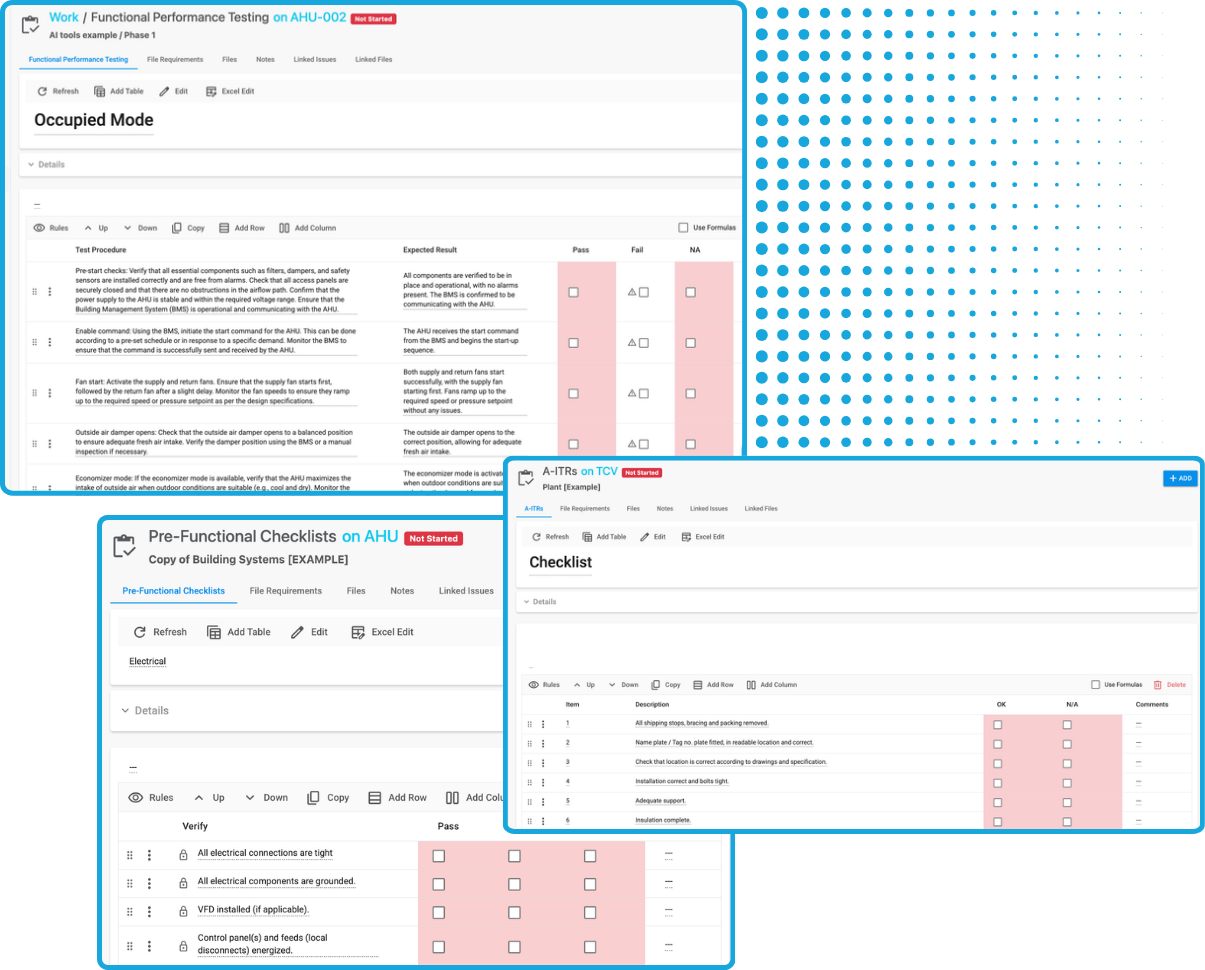
Digital Forms and Checklists
Create custom forms and checklists that include equations and validation. Standardize your checklists and use on multiple projects. Add checklists and forms to thousands of equipment tags.
Centralized Issue Tracking
Team members in the field can log issues with detailed notes, photos, and timestamps. Internal staff, contractors, and clients can access these records in real time.
Batch Editing
Bluerithm's batch editing features allow you to edit hundreds of equipment tags, tests, and issues in one go.
Customizable Workflows
Adapt templates and documents to suit different project types and client preferences.
Documentation and Reporting
Create final delverables—such as commissioning plans and comprehensive reports—using the built-in report builder to create standardized outputs with minimal manual effort. Export reports that are 1k+ pages long.
Use on Any Device
Use Bluerithm on smartphones, tablets, and PCs online or offline. Offline capability allows work to be done in the field and synced on reconnect.
Digitize Your Cx Workflows
Flexible, adaptable, scalable, and easy to get started

Reusable Templates
Create a reusable template library for checklists and forms you regularly use for your equipment and projects.
Easy Project Setup
Create a new project in minutes using your templates. Ability to add thousands of equipment tags.
Track Issues
Create, assign, and track issues on your projects. Easily view details including attachments.
Progress Metrics
Give all stakeholders interactive access to all real-time project data.
See real-time project data
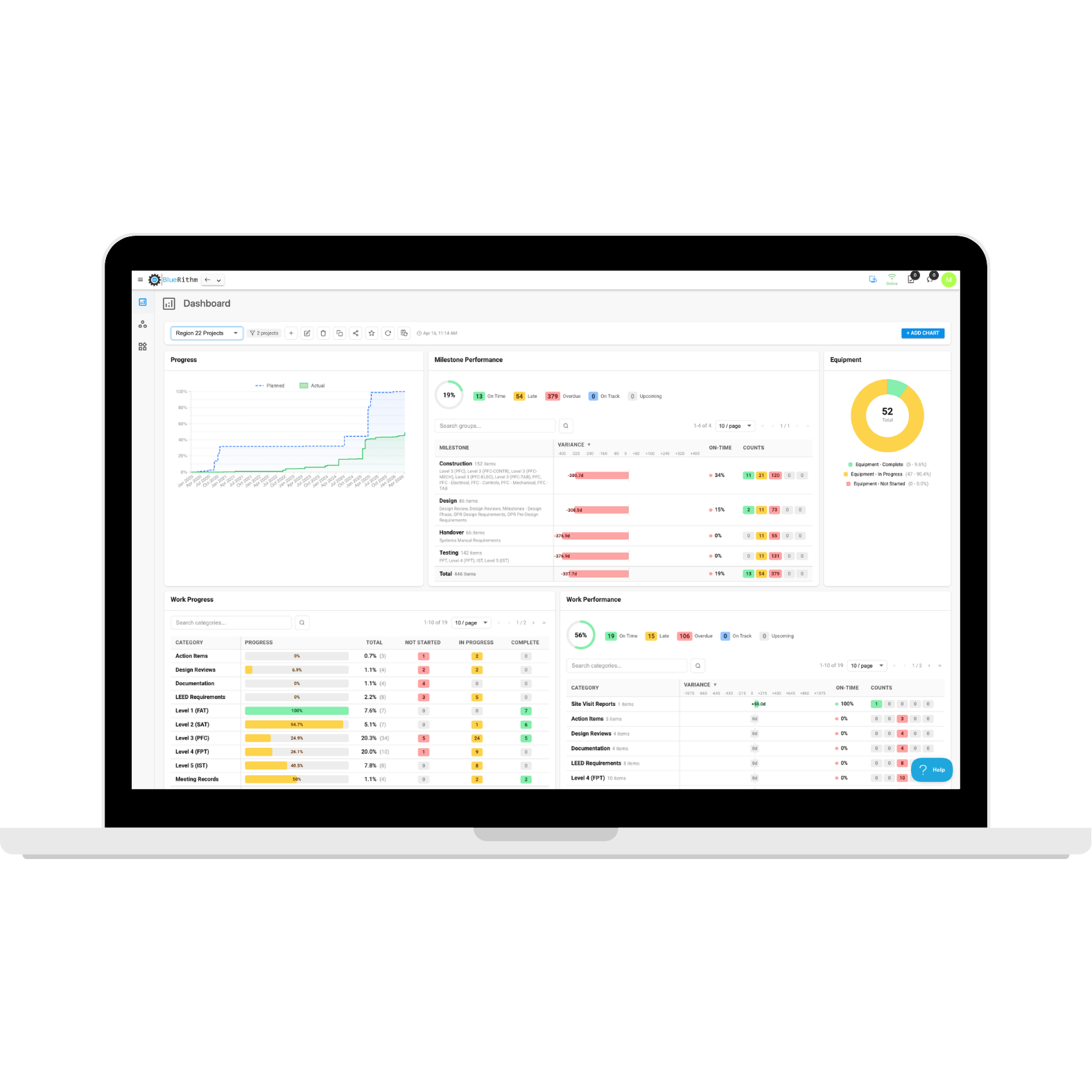
Portfolio Dashboards
Pull data from groups of projects or all projects on your account
- Add and customize charts
- Track progress and performance
- Track milestones
- Produce high level overviews for leadership and clients
- Great for multi-office firms, groups of projects for a specific client, campus projects, chain store projects, airport projects, and more
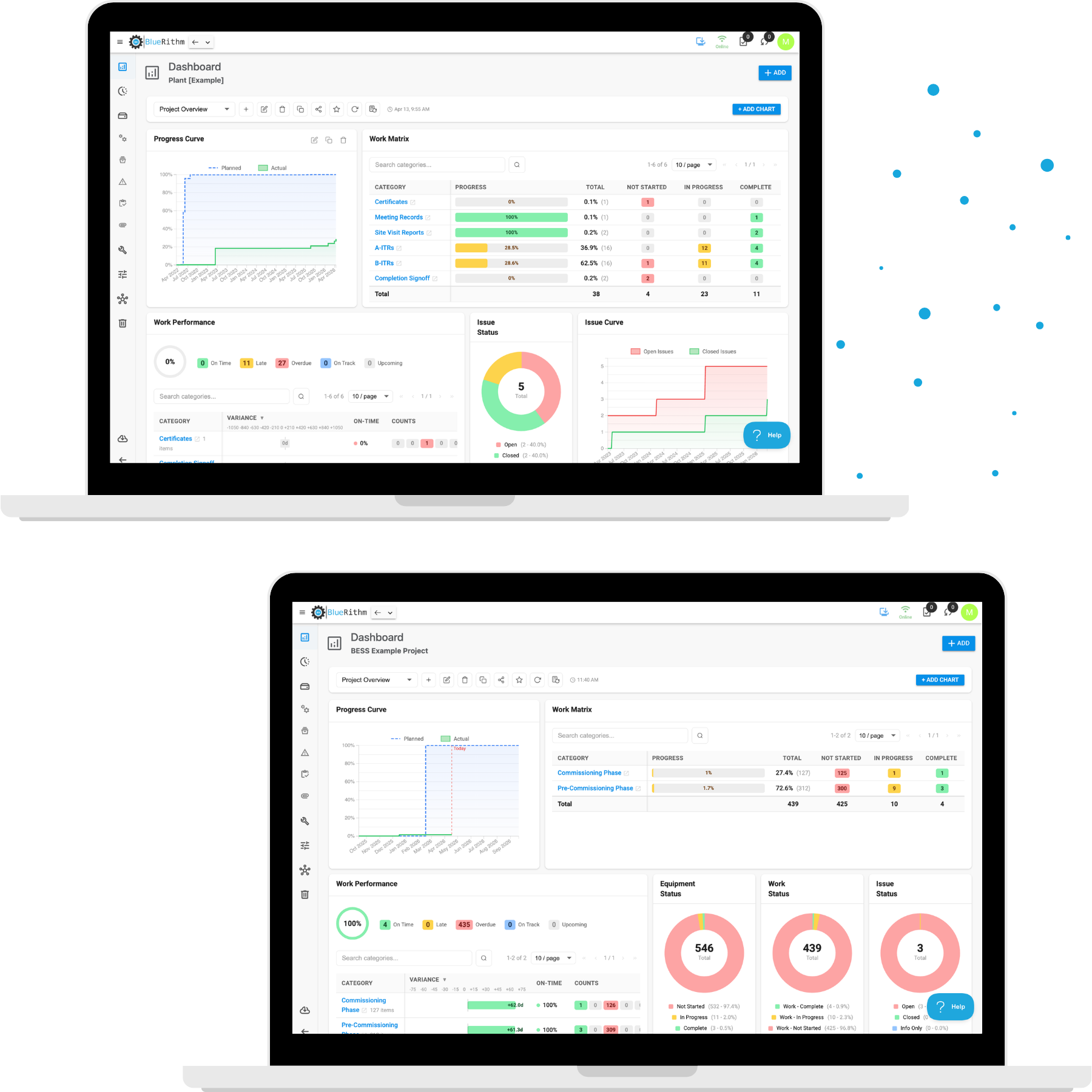
Project Dashboards
Pull data from individual projects
- Add and customize charts
- Track progress and performance
- Track milestones
- Produce high level overviews for leadership and your client
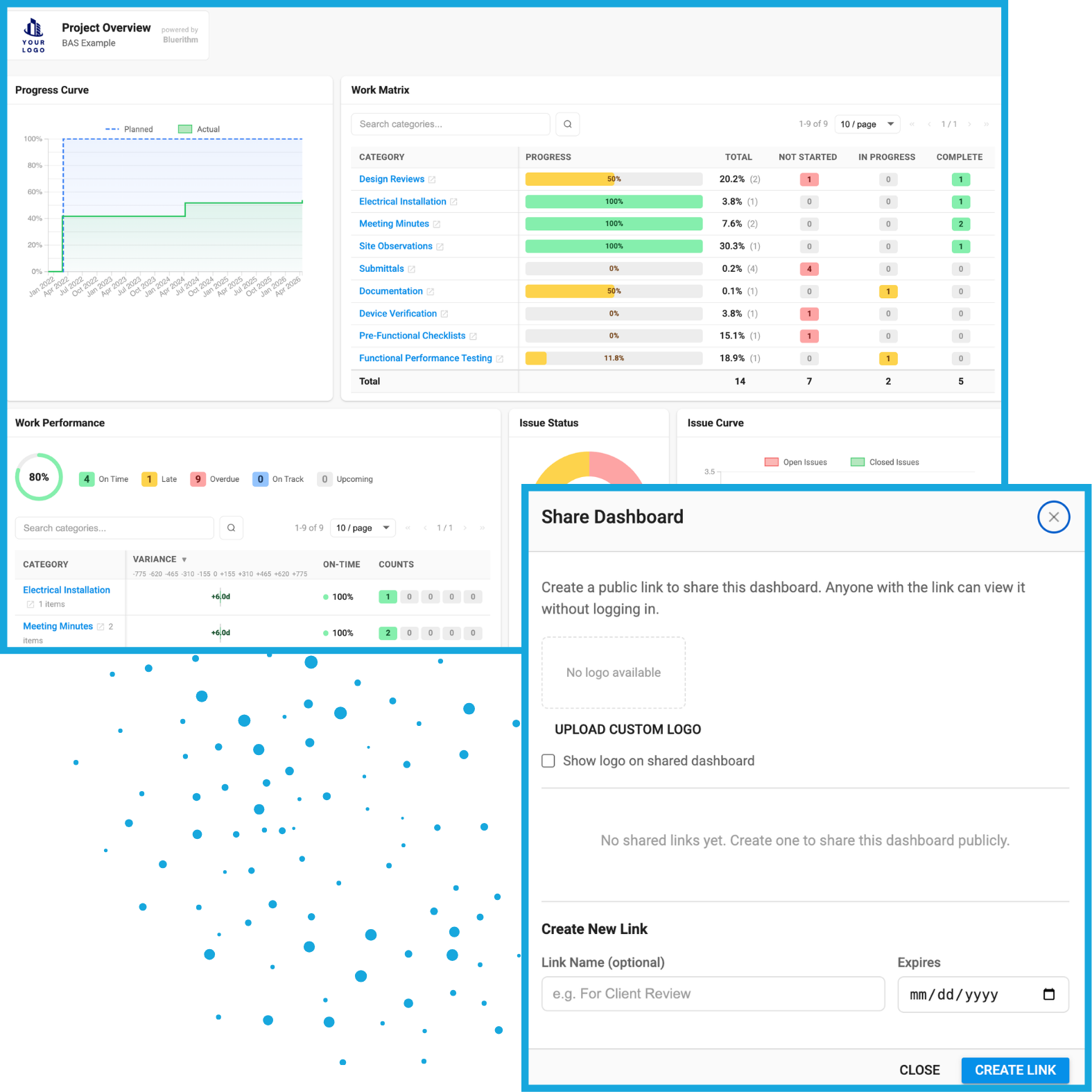
Share Dashboards
Create shareable public links with your custom branding on the dashboards, including the option to have an expiration date
Integrate with construction industry tools
Connect the tools and data you use on your projects
Bluerithm API
Programmatically access data from your Bluerithm account and projects.
View integrationProcore Integration
Create embedded dashboards and integrate data to synchronize Procore Observations and Bluerithm Issues.
View integrationAutodesk Construction Cloud Integration
Create embedded dashboards and integrate data to synchronize ACC and Bluerithm Issues.
View integrationWillow Digital Twin Integration
Automatically synchronize Bluerithm equipment and equipment properties with assets in a Willow Digital Twin.
View integrationPrism Integration
Automatically synchronize Bluerithm equipment and equipment property data with equipment in a Prism property (building).
View integration

30,000+ people
use Bluerithm to manage their commissioning projects
Digitize and streamline your processes
Explore how companies like yours are scaling their commissioning projects with Bluerithm

Commissioning Projects
What It Looks Like When a National Commissioning Firm Streamlines Its Project Workflow

Aquaculture Commissioning
How Pure Salmon Technologies Scaled Commissioning for a Global Portfolio

Hospital Commissioning
How Cator, Ruma & Associates Pioneered NFPA 4 Fire Safety Testing at Lutheran Hospital Using Bluerithm
Don’t just take our word for it
We believe Bluerithm should be accessible to all companies for all projects, no matter the size.
We chose Bluerithm for precisely that reason: we've not had to compromise anything about how we do our business with this tool. This means our clients continue to enjoy the meticulous and transparent standard of service that we're known for.
Keith Olberding
We did our due diligence. We looked at various different platforms and what really stood out for this type of commissioning for us was that this platform is designed for commissioning. A lot of the other platforms that we looked at were designed for construction, which is completely different. Mechanical installations are a whole different ball game.
James Peter Henry Tuller
Adopting Bluerithm was a natural progression for us. It helped us eliminate inefficiencies and supported our goals for accountability and collaboration on every project.
Jedediah Moore
