Renewable energy projects are becoming larger, more complex, and more distributed. Utility-scale solar farms may include thousands of individual assets, battery energy storage systems combine electrical, controls, communications, HVAC, and safety systems, and wind farms require teams to coordinate commissioning across turbines, substations, collection systems, and supporting infrastructure. As project size increases, commissioning teams need a better way to organize field activities, document testing, manage deficiencies, and maintain visibility into overall project readiness.
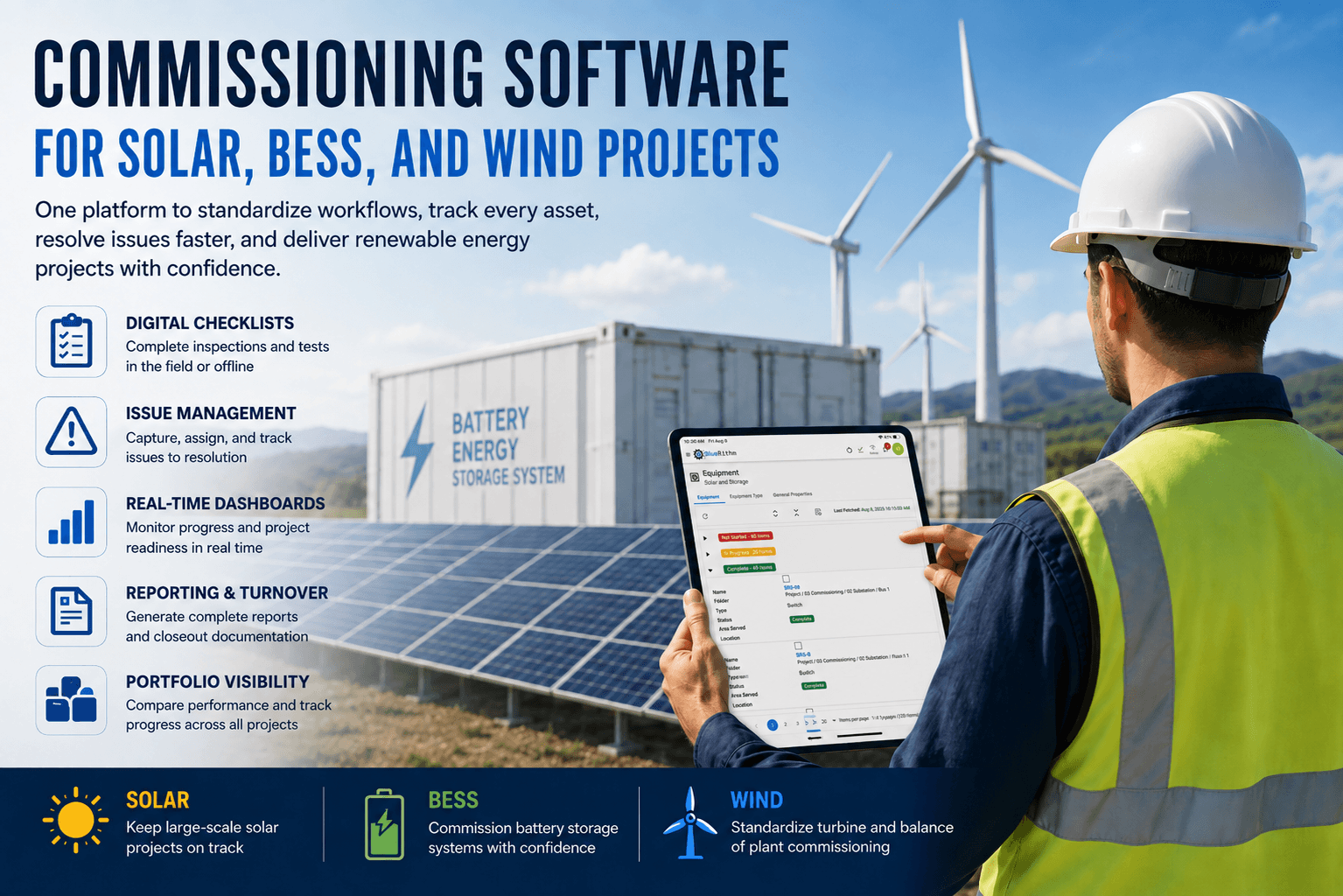
Commissioning software gives renewable energy teams a centralized way to manage that work. Instead of relying on paper checklists, spreadsheets, separate punch lists, email threads, and manually assembled reports, teams can manage commissioning data within one digital workflow. For solar, BESS, and wind projects, this can make it easier to standardize processes, track progress, resolve issues, and prepare consistent turnover documentation.
Why Renewable Energy Commissioning Is Difficult to Manage
Renewable energy projects often involve large quantities of repeatable equipment and a high volume of inspections and tests. A solar project may include inverters, trackers, combiner boxes, transformers, switchgear, weather stations, communications equipment, and SCADA systems. A BESS project can include battery racks, power conversion systems, HVAC equipment, fire protection, energy management systems, protection systems, and grid controls. Wind projects may require the same inspections and commissioning procedures to be completed across dozens or hundreds of turbines.
Managing this work with disconnected tools makes it harder to understand what is actually happening on the project. Project managers may struggle to answer basic questions such as which equipment has been tested, which systems are ready for energization, which activities are incomplete, which issues are holding up turnover, and who is responsible for resolving them. Commissioning software brings that information together so teams can use field data to understand project status without continually rebuilding status reports by hand.
Standardize Commissioning Across Renewable Energy Projects
One of the biggest advantages of digital commissioning software is the ability to create repeatable workflows. Solar, BESS, and wind projects frequently include similar equipment and recurring commissioning activities, which makes reusable templates especially valuable. Teams can build standardized forms and procedures for inverter startup, transformer inspections, battery system checks, SCADA verification, wind turbine inspections, substation commissioning, energization readiness, functional testing, and other repeatable tasks.
Standardization does not mean every project needs to follow an identical process. Equipment manufacturers, EPC contractors, project requirements, owner standards, and utility requirements can vary significantly from one site to another. The goal is to establish a consistent foundation that can be adjusted when necessary. Instead of rebuilding commissioning documentation from scratch for every project, teams can start with proven templates and modify them to fit the specific application.
Commissioning Software for Solar Projects
Utility-scale solar projects create a significant data-management challenge because of the sheer number of assets involved. Commissioning teams may need to inspect and test thousands of pieces of equipment across inverter blocks, tracker zones, substations, and other site areas. Keeping those activities organized becomes increasingly difficult when field data is stored across spreadsheets, paper forms, photos, and separate file folders.
Digital commissioning software allows teams to connect inspections, test results, issues, attachments, and completion status directly to the equipment being commissioned. Field technicians can complete checklists from a phone, tablet, or computer while project managers monitor progress across the site. Instead of waiting for updates to be compiled manually, managers can see which areas are complete, which assets still require testing, and where unresolved issues may affect an upcoming milestone.
This visibility can be especially valuable during energization and turnover. Teams can quickly identify whether specific inverter blocks, transformers, or electrical systems have completed the required commissioning activities and whether any open items remain before the next stage of the project can proceed.
Commissioning Software for BESS Projects
Battery energy storage system commissioning involves the coordination of multiple interconnected systems. Teams may need to verify battery modules and racks, battery management systems, power conversion systems, transformers, medium-voltage equipment, HVAC systems, fire detection and suppression interfaces, energy management systems, communications, protection systems, and plant-level controls. The commissioning process must demonstrate not only that individual components function correctly, but also that the entire system operates as intended.
Because of this complexity, documentation and issue tracking are especially important on BESS projects. Commissioning software can create a connected record of inspections, test results, deficiencies, supporting files, and corrective actions. If a problem is identified during testing, it can be logged immediately and assigned to the appropriate party rather than being transferred into a separate punch list later.
This makes it easier to maintain a clear history of the commissioning process. Teams can see what was tested, what problems were identified, how those problems were resolved, and whether all required activities have been completed before turnover. That level of traceability can help improve communication among commissioning providers, EPC teams, equipment vendors, owners, and operators.
Commissioning Software for Wind Projects
Wind projects present many of the same scalability challenges as large solar projects. A commissioning team may be completing nearly identical procedures across dozens or hundreds of turbines while also commissioning substations, collection systems, communications, controls, and other balance-of-plant infrastructure. Without a standardized system, teams may have to manually compare turbine records and individual checklists to understand overall project progress.
Commissioning software makes it possible to apply repeatable workflows across the turbine fleet and track each asset through defined stages of completion. Project managers can see which turbines are complete, which are awaiting inspection or testing, and which have outstanding issues. This reduces the need to manually review individual records to determine overall project status.
The same approach can also support organizations managing multiple wind projects. Standardized commissioning templates, dashboards, and reporting structures can help teams maintain consistency across projects while still allowing individual sites to be configured for specific requirements.
Track Equipment and Commissioning Activities in One Place
Equipment tracking is a critical part of renewable energy commissioning. Each asset generates documentation throughout the project, including inspections, test records, notes, photos, deficiencies, approvals, and completion status. When that information is stored in separate locations, it becomes difficult to reconstruct the history of an individual piece of equipment.
Commissioning software creates a centralized record for each asset. Teams can connect forms, checklists, test results, attachments, issues, and status information to the equipment where the work occurred. This is especially useful on projects with hundreds or thousands of similar assets because technicians and managers do not have to search through multiple spreadsheets or folders to find the information they need.
Over time, this structure also improves turnover documentation. Instead of assembling equipment records at the end of the project, teams are building a complete digital history as commissioning activities are performed.
Replace Paper Checklists With Digital Field Workflows
Commissioning takes place in the field, so software needs to support the people performing inspections and tests at the project site. Renewable energy projects are often located in remote areas, which makes mobile access and offline capability particularly important. Field technicians need to be able to complete their work without depending on a constant connection to the internet.
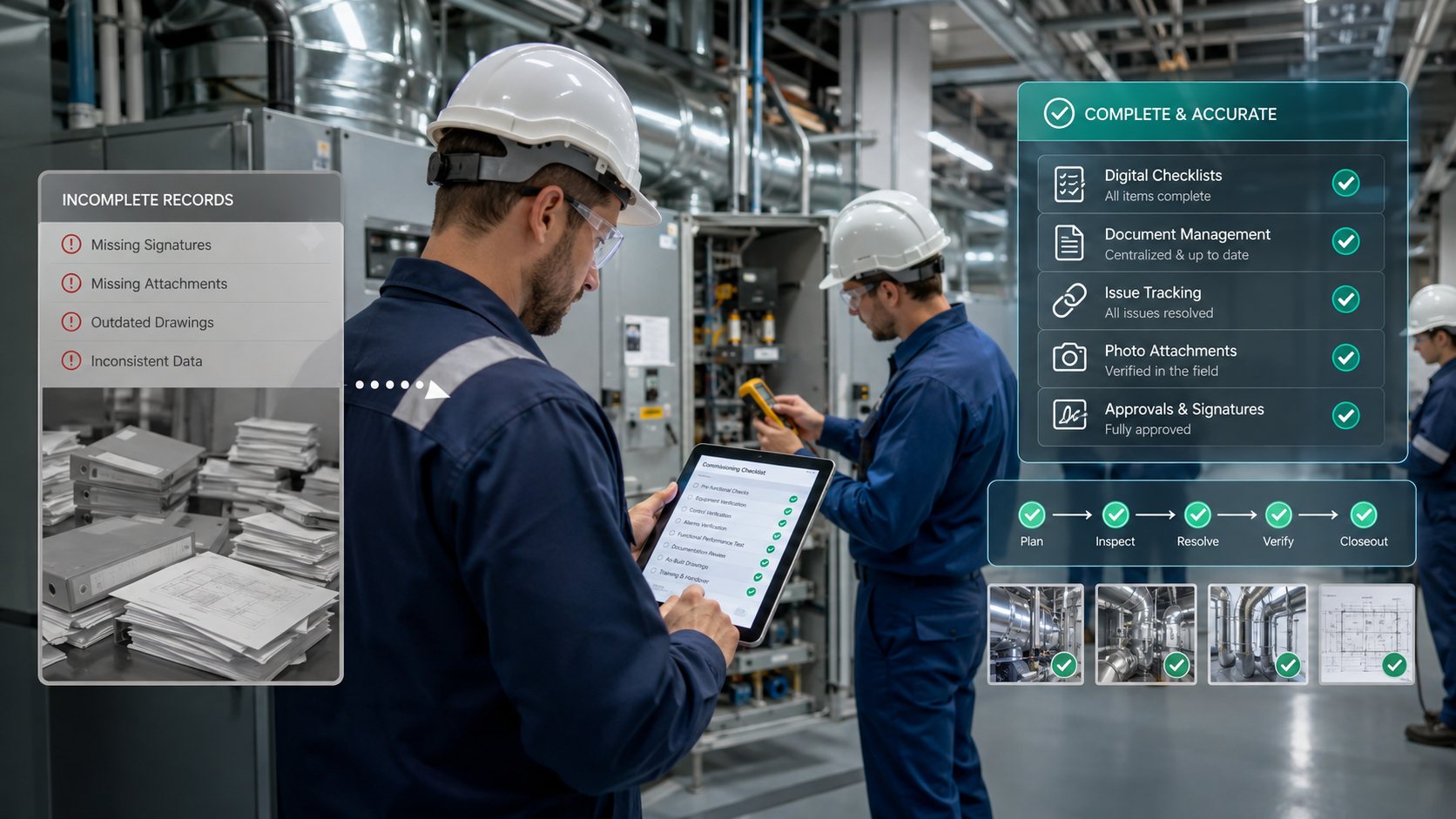
Digital forms and checklists allow technicians to enter information directly into the commissioning system rather than filling out paper documentation that must be reentered later. Forms can include structured fields, required responses, photos, attachments, calculations, and other information that helps teams capture consistent project data.
This reduces duplicate data entry and gives managers access to commissioning information sooner. It also helps ensure that teams are using the latest approved procedures instead of outdated spreadsheets or paper forms that may have been distributed earlier in the project.
Turn Punch Lists Into Actionable Issue Logs
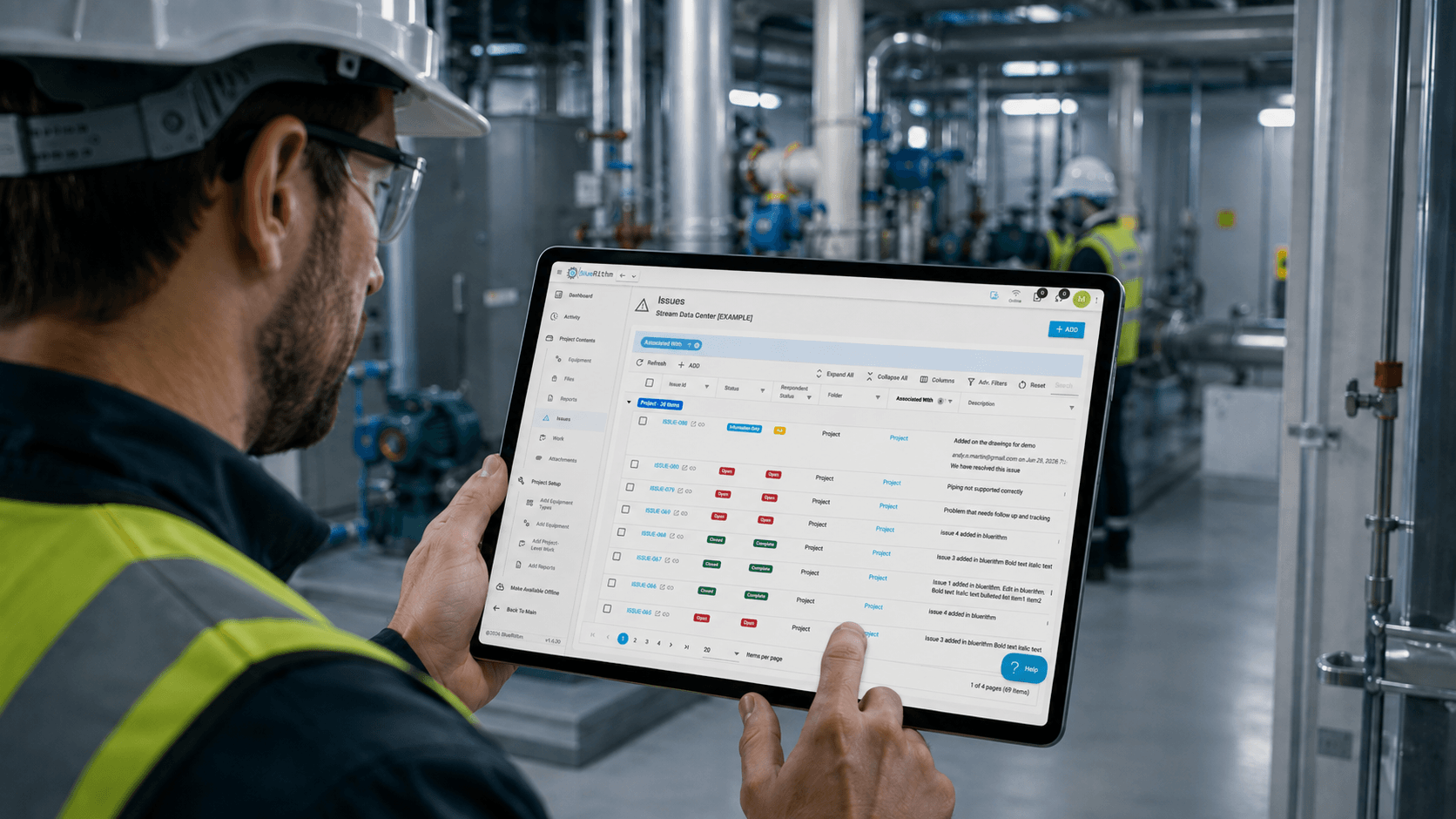
Identifying deficiencies is only one part of commissioning. The larger challenge is making sure those deficiencies are assigned, tracked, corrected, and verified before the project is closed out. Renewable energy projects may have hundreds of issues involving EPC contractors, OEM representatives, electrical contractors, controls vendors, and other project participants.
A centralized issue log gives teams a consistent way to manage these items. Issues can be assigned to responsible parties, categorized, documented with photos or attachments, and tracked through resolution. Project managers can then understand not only how many issues remain open, but also which systems are affected and which items are preventing important milestones from being completed.
This can be particularly valuable during late-stage commissioning, when unresolved issues can affect energization, performance testing, turnover, or commercial operation. A clear issue-management process helps teams focus attention on the items that matter most.
See Commissioning Progress in Real Time
Renewable energy projects generate a large amount of commissioning data, but that information is most useful when teams can turn it into meaningful project visibility. Dashboards can help project managers monitor testing progress, checklist completion, open issues, equipment status, milestone readiness, and other commissioning metrics without manually assembling separate status reports.
For example, a solar project manager may want to compare completion across inverter blocks, while a BESS team may want to monitor progress by system or container. A wind commissioning team may want to compare turbine completion or identify equipment with unresolved deficiencies. Dashboards give teams a faster way to identify areas that are falling behind and determine where additional attention is needed.
Because the information comes directly from commissioning activity, dashboards can provide a more current view of project status than manually maintained reports. This helps project teams make decisions based on the latest available information.
Manage a Portfolio of Renewable Energy Projects
Many renewable energy organizations are not managing a single project. Developers, owners, commissioning providers, and EPC firms may be responsible for multiple solar farms, BESS projects, and wind developments at the same time. Managing each project independently makes it difficult to understand overall program performance.
Portfolio visibility allows organizations to compare progress across multiple projects and identify broader trends. Leadership teams may want to understand which projects are behind schedule, where issue counts are increasing, whether specific equipment types are creating recurring problems, or how close projects are to key commissioning milestones.
Standardized commissioning data makes these comparisons much easier. When projects use consistent workflows and reporting structures, organizations can evaluate commissioning performance across a portfolio instead of treating every project as an isolated data set.
Improve Reporting and Turnover Documentation
Reporting is one of the most time-consuming parts of traditional commissioning workflows. Teams often need to compile information from test forms, checklists, issue logs, spreadsheets, photos, and equipment records to produce progress reports and final closeout documentation. When project information is already stored digitally, much of that reporting process can be streamlined.
Commissioning software allows teams to generate reports from the same data collected during field work. Progress, issues, equipment information, forms, and supporting documentation can be incorporated into standardized reports without recreating the information manually. This helps reduce administrative work during the project and makes final closeout more efficient.
The result is a more consistent project record. Instead of reconstructing the history of the project near the end of commissioning, teams maintain documentation throughout the entire process.
Build a Repeatable Renewable Energy Commissioning Process
The greatest value of commissioning software is not simply converting paper forms into digital versions. It is creating a repeatable operating system for how commissioning work is performed. Templates establish consistent procedures, equipment records organize project data, digital forms capture field activities, issue logs manage deficiencies, dashboards provide visibility, and reports turn project information into usable deliverables.
For organizations with growing renewable energy portfolios, this structure becomes increasingly important. Lessons learned on one project can be incorporated into future templates. Recurring issues can be identified across multiple sites. Reporting formats can be standardized. Teams can improve the commissioning process over time instead of starting from scratch with every new project.
This is especially valuable for companies working across solar, BESS, and wind. While the equipment and testing requirements differ, the underlying need for consistent workflows, reliable documentation, issue management, project visibility, and efficient turnover remains the same.
One Commissioning Platform for Solar, BESS, and Wind
Solar, battery energy storage, and wind projects each present unique technical challenges, but they share many of the same commissioning management requirements. Teams need to coordinate large quantities of equipment, execute repeatable inspections and tests, manage field personnel, track deficiencies, monitor project readiness, and produce complete turnover documentation.
Bluerithm gives renewable energy commissioning teams a flexible platform for managing these workflows in one place. Teams can create reusable templates, complete digital forms and checklists, organize equipment records, track issues, monitor project and portfolio progress, and generate standardized reports from the same underlying commissioning data.
For organizations delivering renewable energy projects at scale, a structured digital commissioning process can help improve consistency, visibility, and closeout across every project.
Modernize Your Renewable Energy Commissioning Workflows
Whether your team is commissioning utility-scale solar, battery energy storage systems, wind farms, or a portfolio that includes all three, Bluerithm can help you standardize and digitize your commissioning process. Build reusable workflows, complete inspections from any device, track issues, monitor progress, and create consistent turnover documentation from one platform.