Commissioning Software Built Around Your Workflow
Manage commissioning projects, equipment, forms and checklists, issues, testing, dashboards, reports, meetings, and documentation in one flexible platform built for commissioning
Trusted by Commissioning Teams Around the World
One Platform for the Complete Commissioning Process
Commissioning creates a tremendous amount of information across equipment lists, checklists, tests, issues, drawings, meetings, reports, project teams, and turnover documentation. Bluerithm brings it all together in one connected platform while giving your team the flexibility to configure projects around the way you actually work.
Manage Equipment
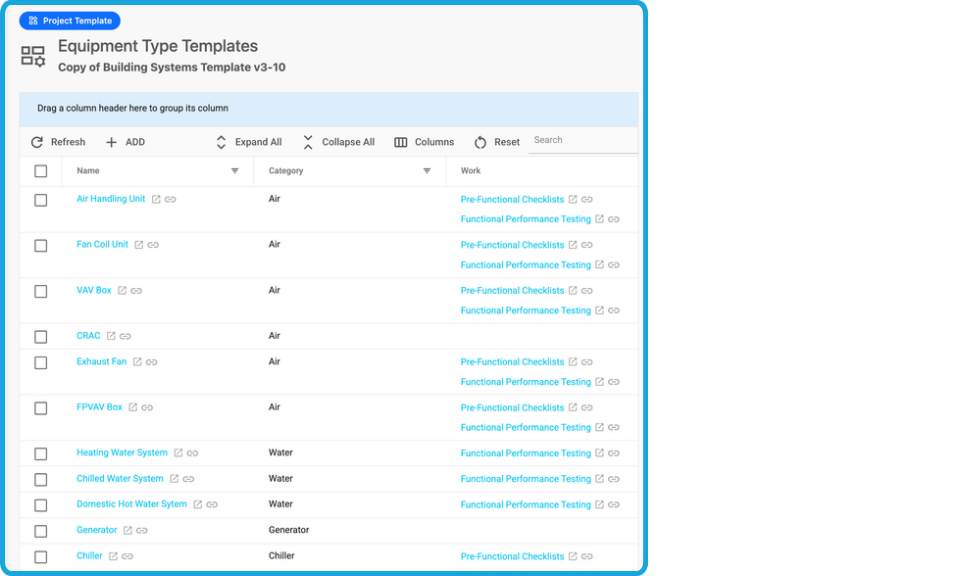
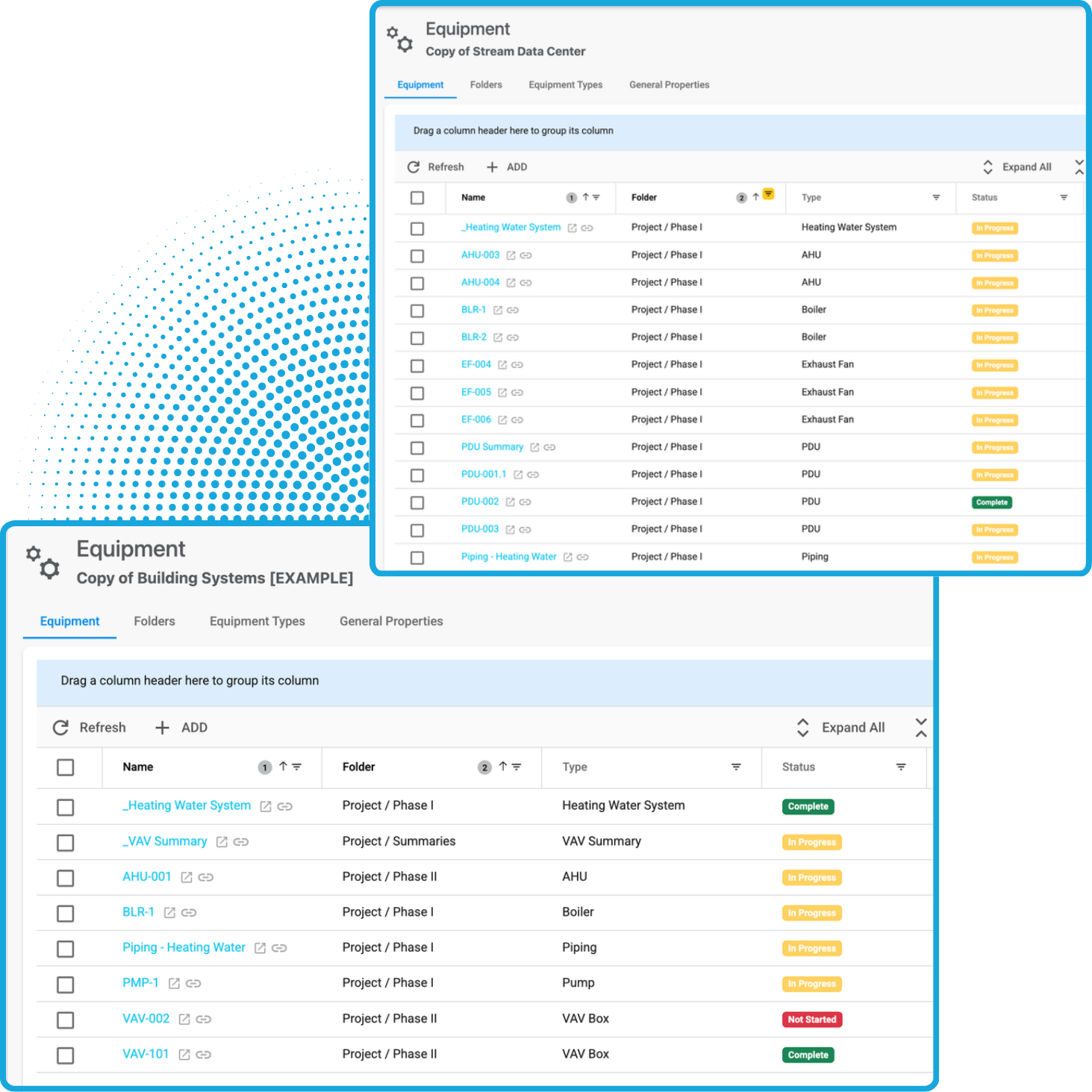
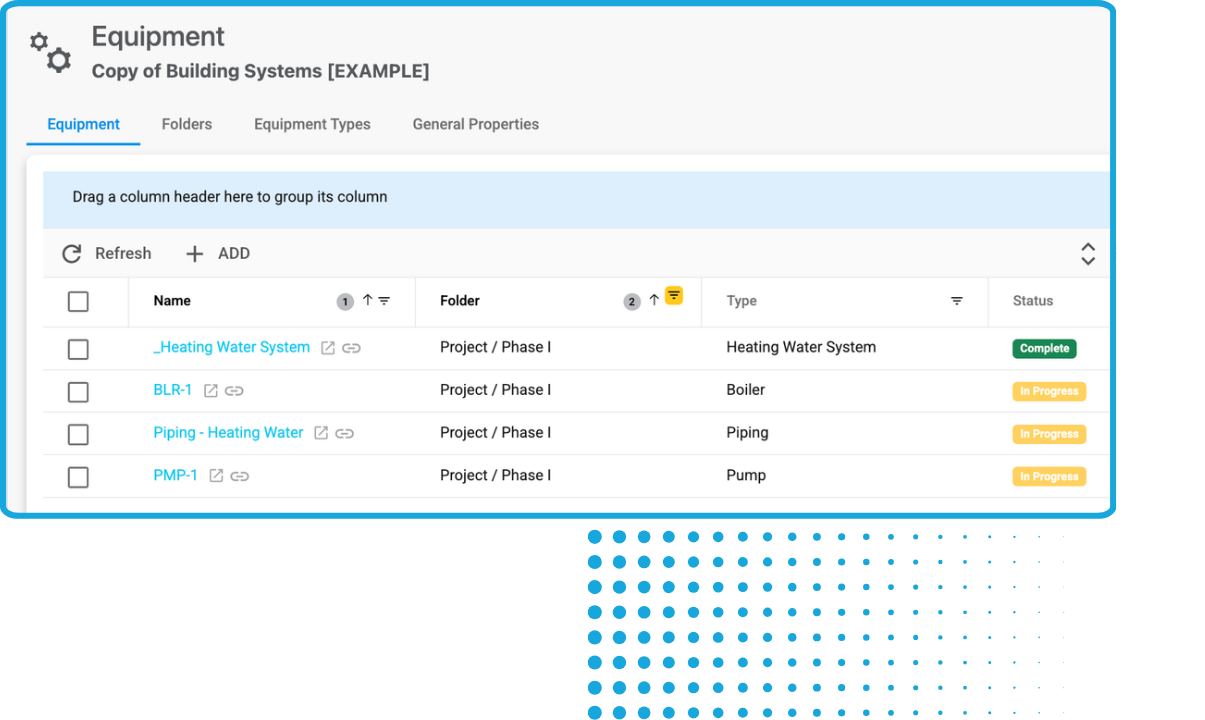
Create structured equipment and asset lists and connect each item to forms, tests, issues, documentation, and commissioning status.
Digitize Forms and Checklists
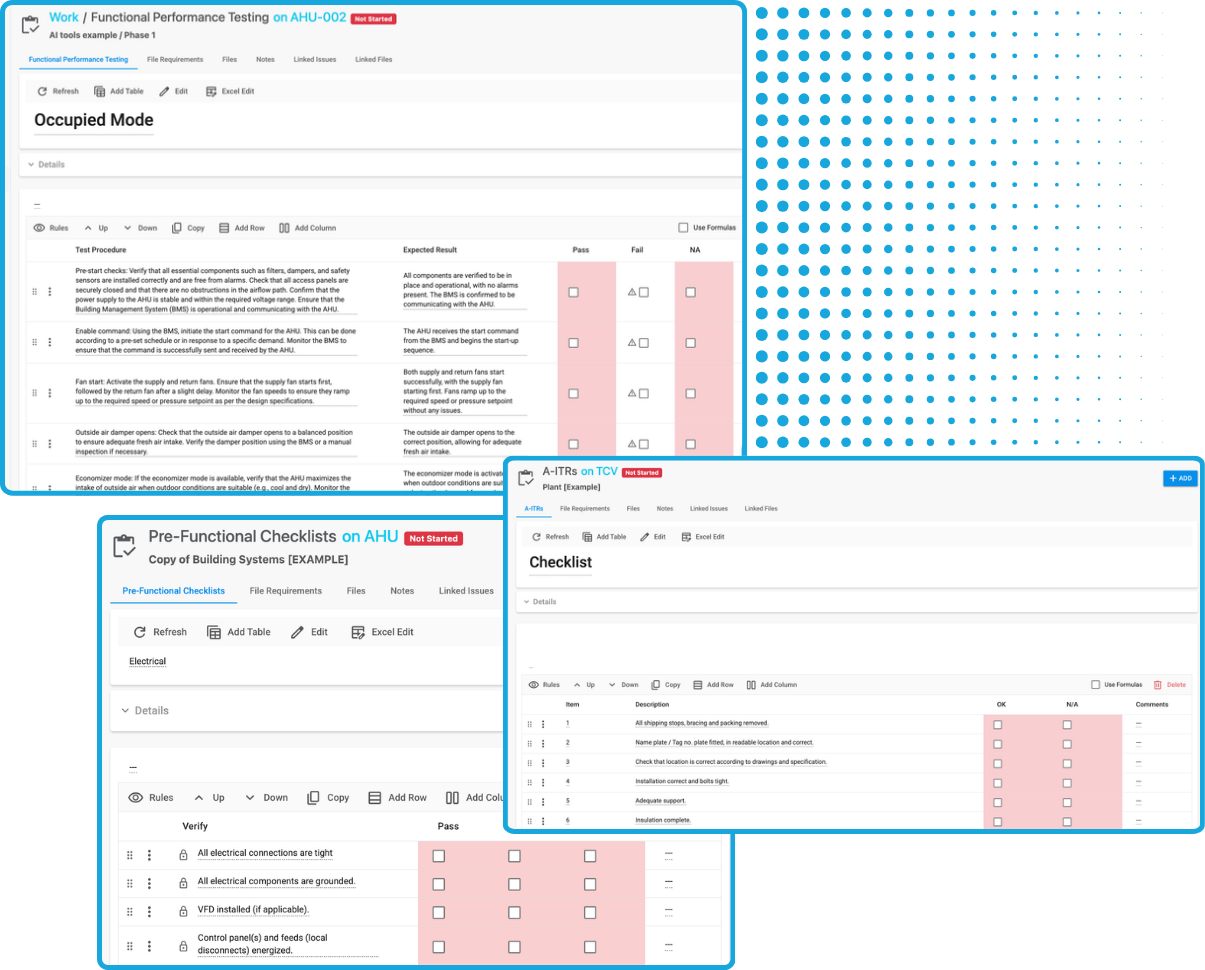
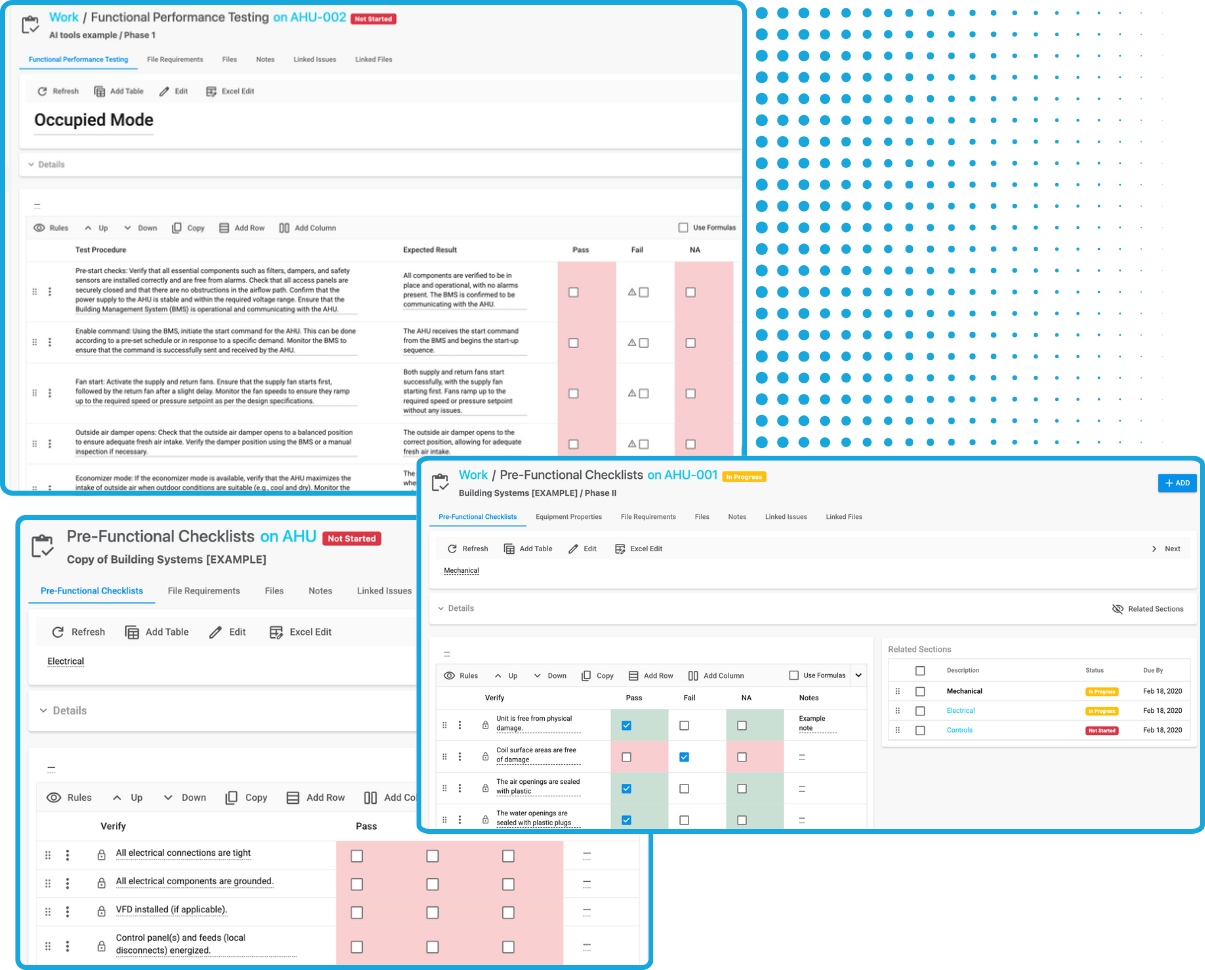
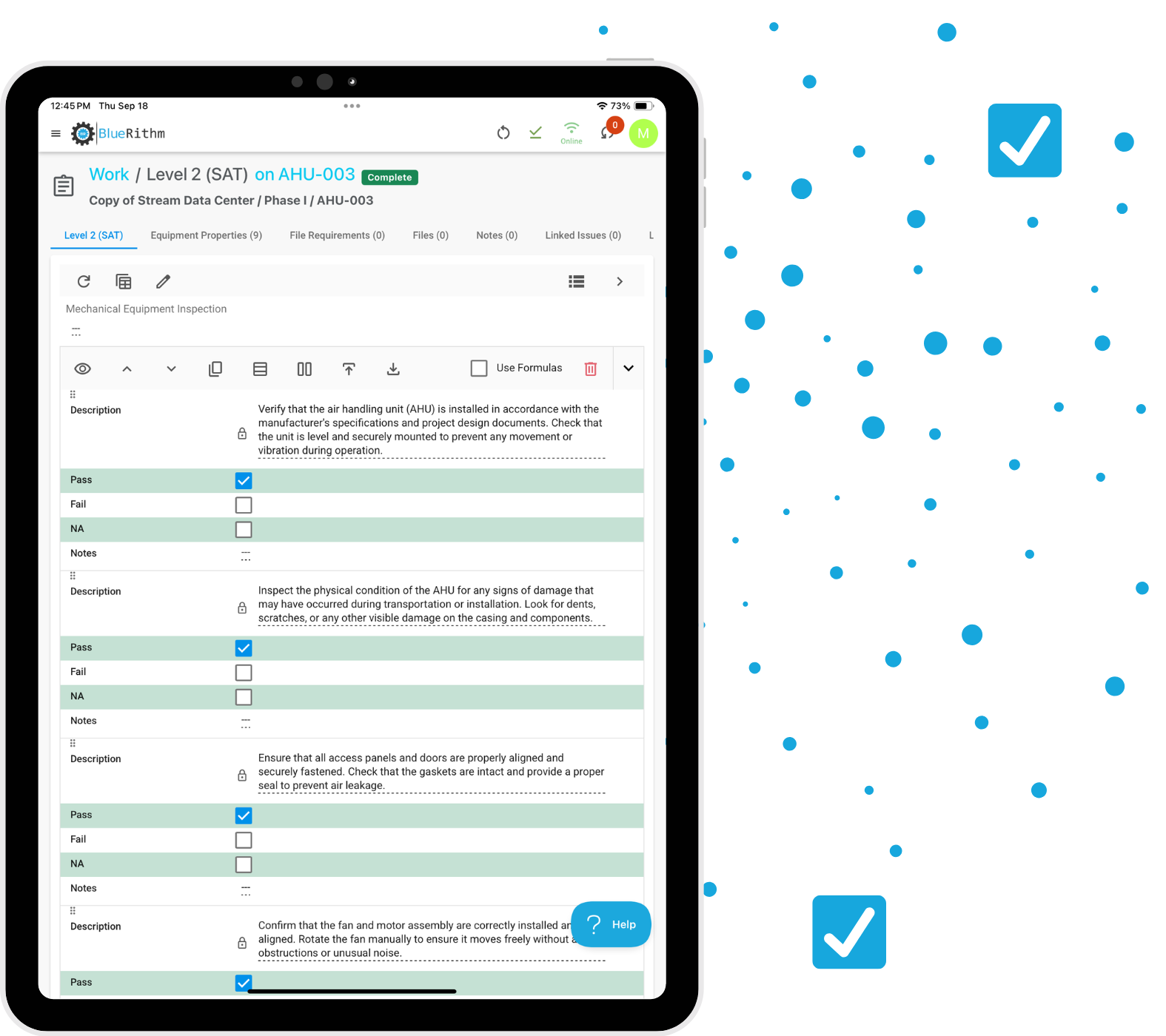
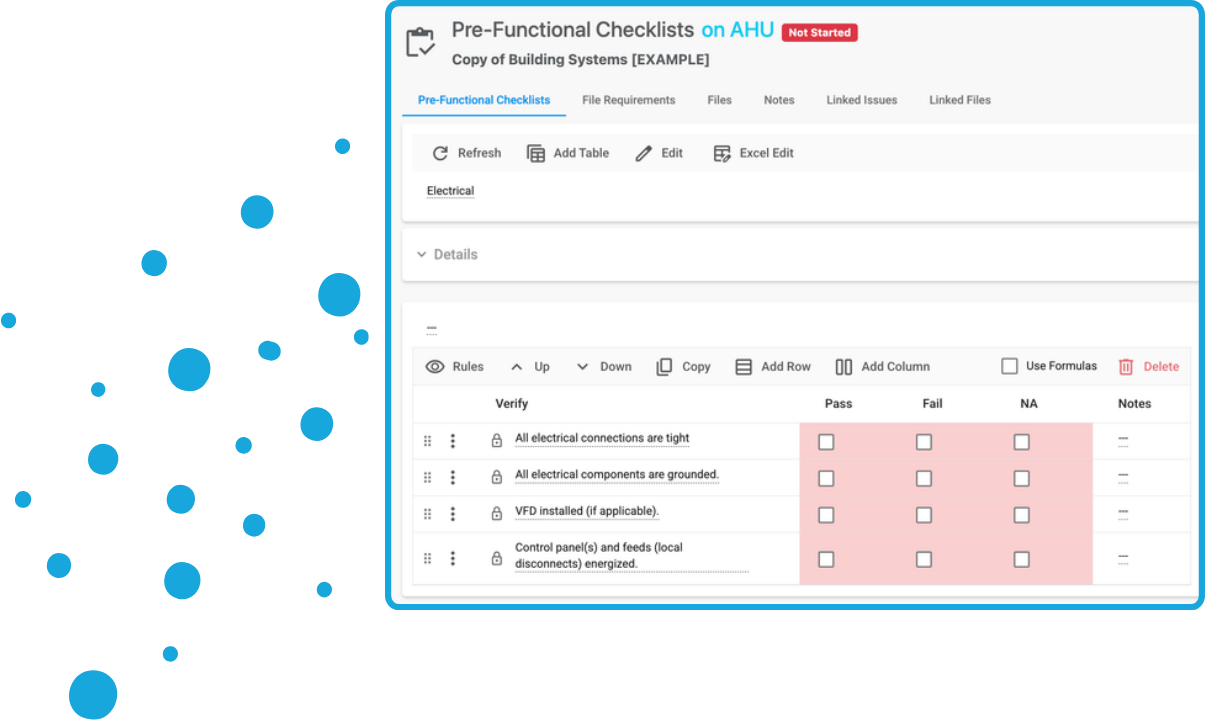
Turn your existing commissioning procedures into digital workflows that can be completed from phones, tablets, or computers.
Track Issues
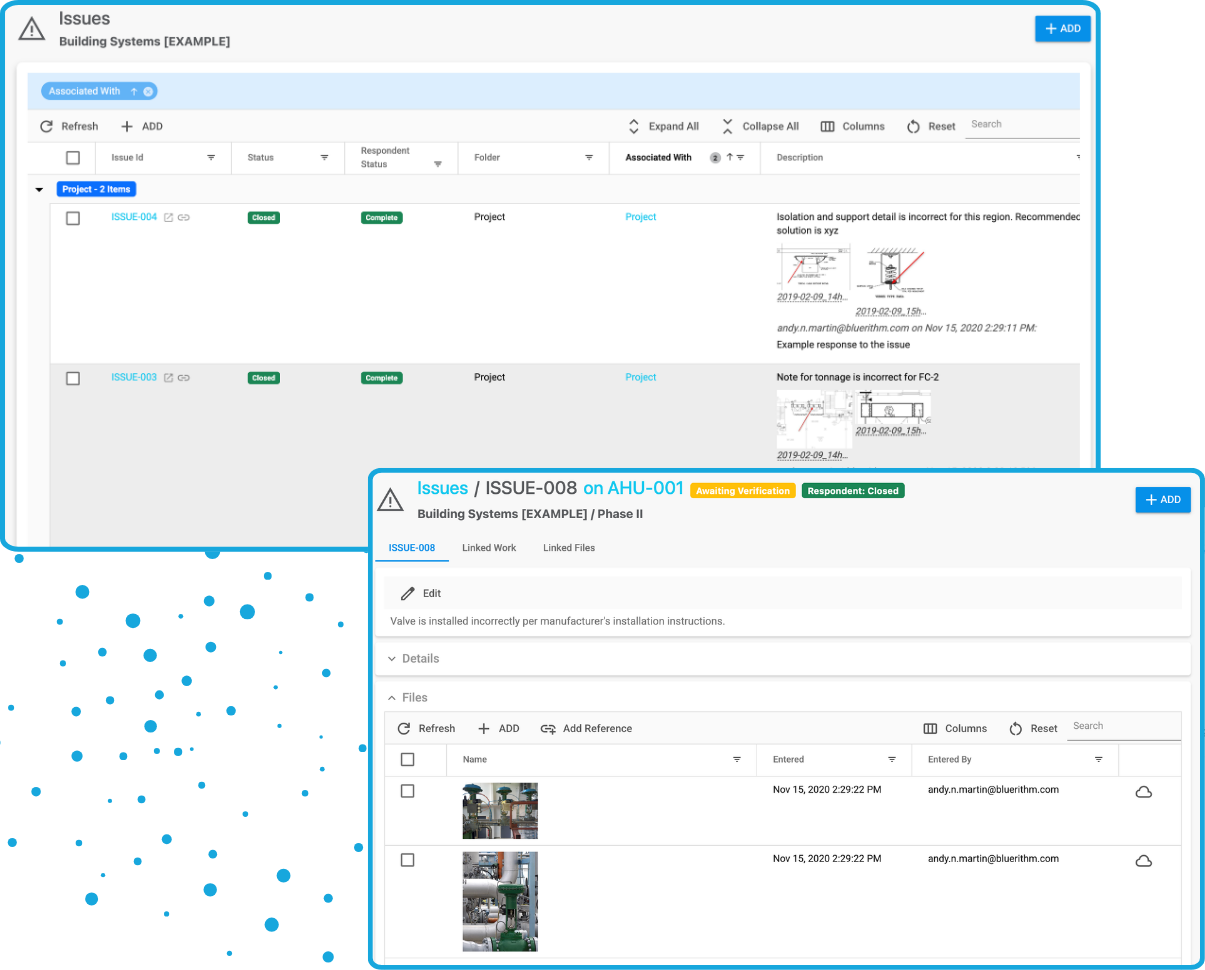
Capture, assign, track, verify, and close commissioning issues while maintaining a complete record of every item.
Monitor Progress
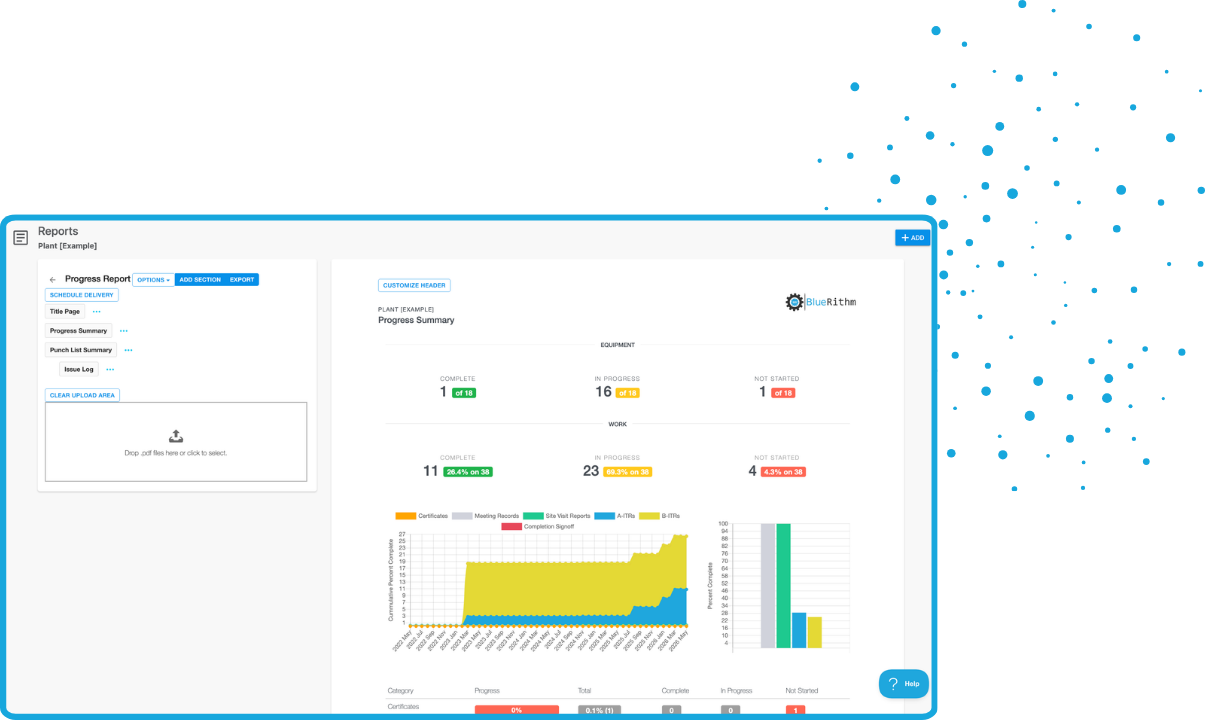
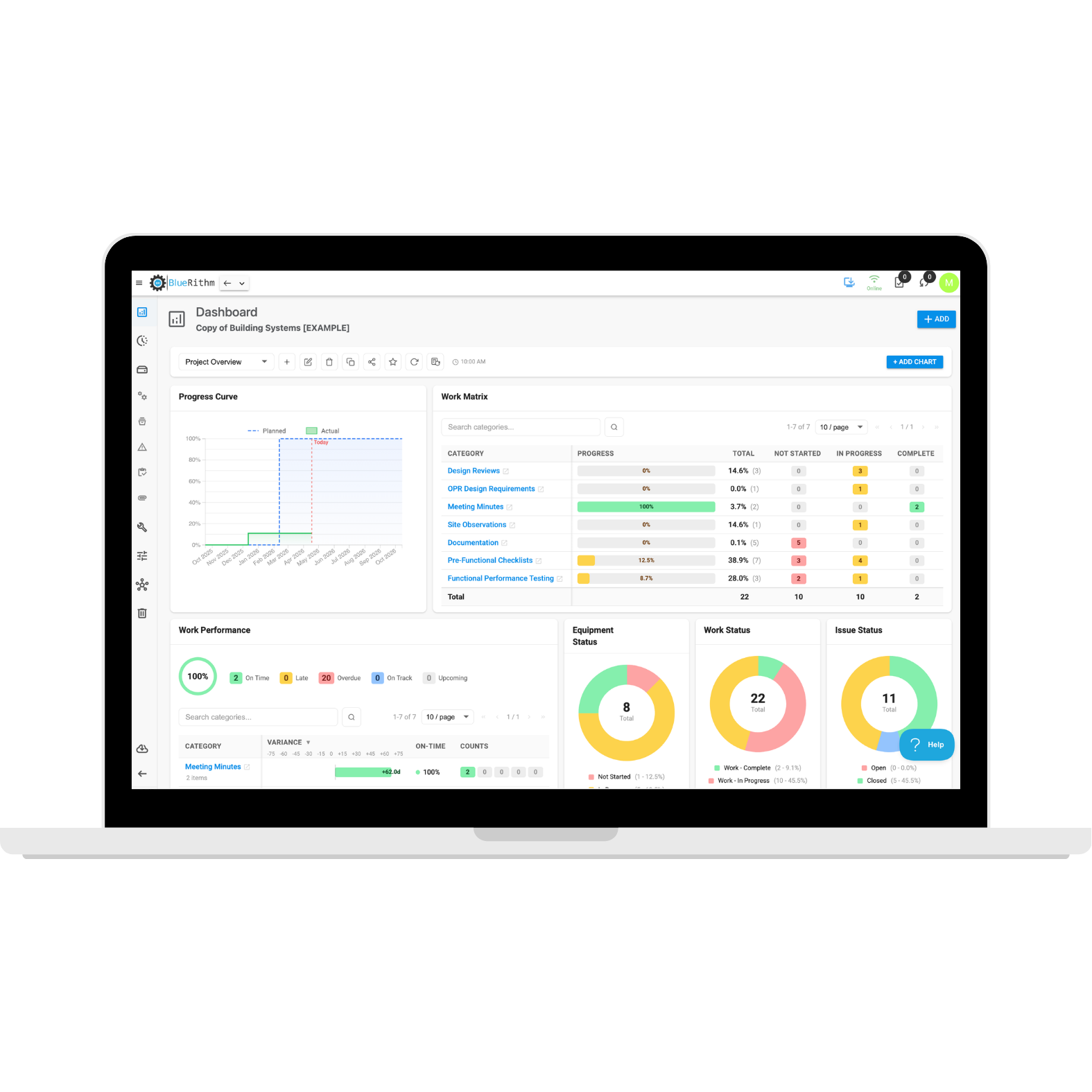
Turn live commissioning data into dashboards that show progress, testing status, outstanding work, milestones, and other project KPIs.
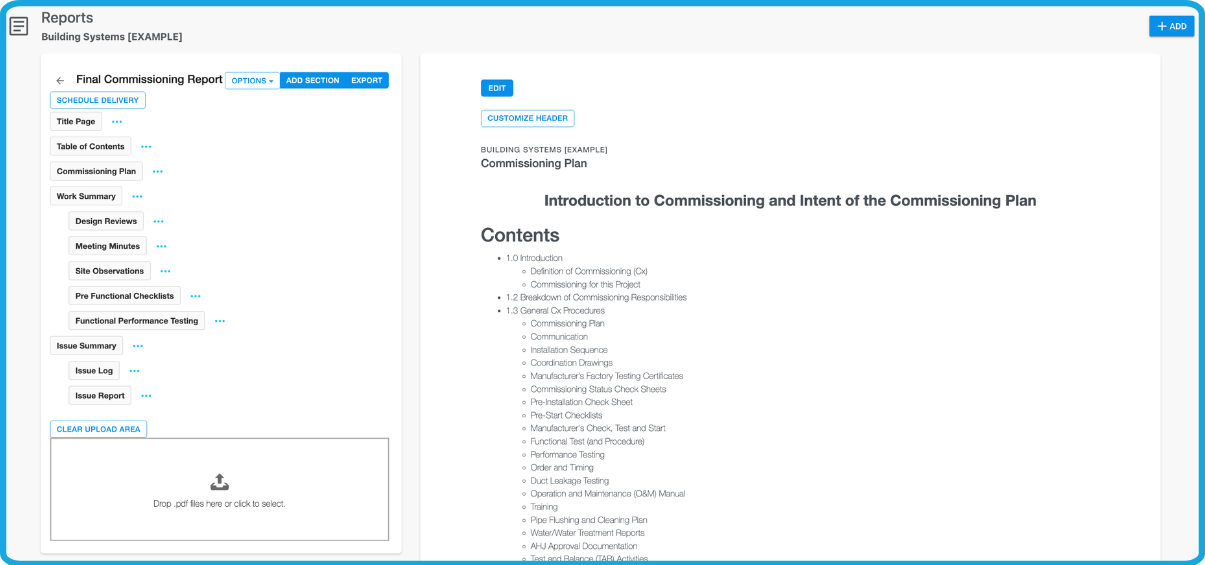
Generate Reports
Create progress reports, issue reports, commissioning reports, and final documentation directly from live project data.
Work Anywhere
Access project information and complete field work from phones, tablets, and computers—including when internet connectivity is limited.
Configure Bluerithm Around the Way You Commission
Your commissioning software shouldn’t dictate how you run your projects.
Bluerithm gives you the flexibility to configure project structures, equipment, workflows, forms, responsibilities, dashboards, reports, and other processes around your standards.
Flexible Project Structure
Organize projects around systems, equipment, locations, phases, disciplines, responsible parties, or your own custom structure.
Custom Workflows
Build processes for different commissioning activities, project types, clients, facilities, and industries.
Reusable Templates
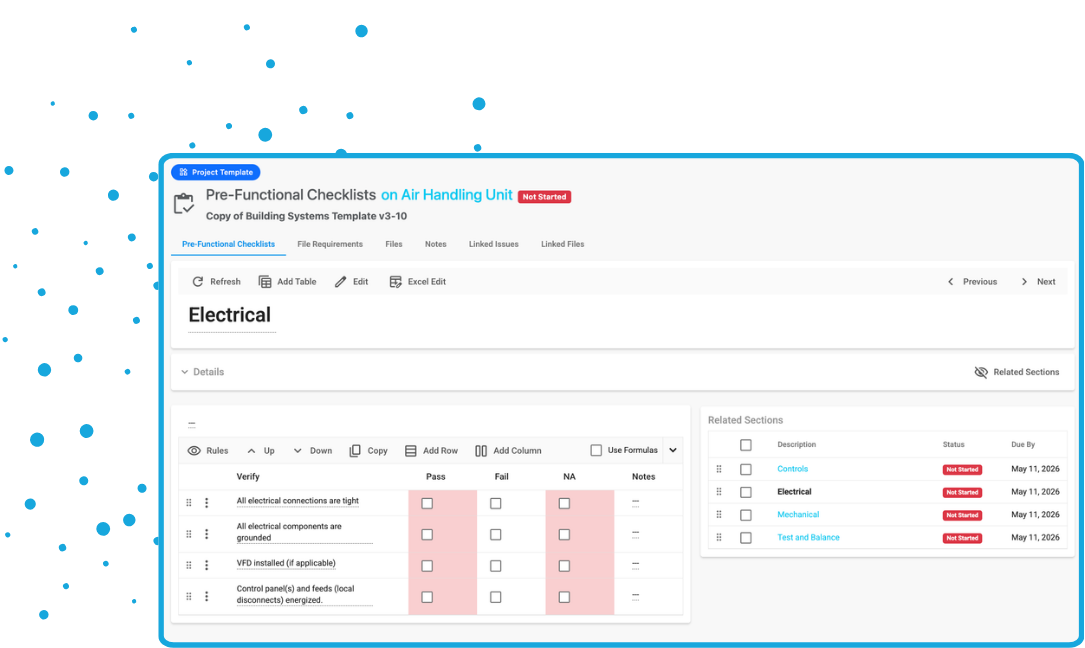
Standardize project structures, equipment, forms, dashboards, reports, and workflows so your best processes can be reused.
Scale From Simple to Complex Projects
Use Bluerithm for individual commissioning projects or large programs involving thousands of assets, users, records, and commissioning activities.
Turn Your Commissioning Standards Into Repeatable Templates
Build it once. Improve it over time. Use it again.
Create reusable templates for the processes your team uses every day. Standardize how projects are delivered without forcing every project to be exactly the same.
Build templates for:
- Projects and workflows
- Equipment types
- Forms and checklists
- Inspection and test records
- Functional tests
- Issue workflows
- Dashboards
- Reports
- Commissioning documentation
Digital Forms, Checklists, and Tests
Replace paper forms, spreadsheets, PDFs, and disconnected files with digital workflows connected directly to your commissioning data.
Create everything from simple checklists to detailed testing procedures with equations, validation, photos, attachments, signatures, automatic issue creation, and real-time completion tracking.
- Build custom forms and checklists
- Convert existing procedures into reusable templates
- Connect forms directly to equipment
- Capture photos, signatures, notes, and attachments
- Automatically create issues based on responses
- Track completion in real time
- Complete work online or offline
Keep Equipment at the Center of Commissioning
Connect commissioning activity directly to the assets, equipment, systems, and components being commissioned.
Import equipment lists, organize thousands of assets, and associate them with the appropriate forms, tests, issues, documents, and commissioning status.
- Import equipment lists
- Organize equipment by type, system, location, or other structure
- Connect forms and tests to equipment
- Track commissioning status
- Link issues and documentation
- Apply updates across equipment in bulk
Capture and Resolve Issues Faster
Give your project team one place to manage deficiencies, observations, punch items, and other commissioning issues from identification through verification and closeout.
- Create issues from the field
- Assign responsibility
- Add photos and attachments
- Track priorities and due dates
- Maintain complete issue histories
- Create issues directly from forms and tests
- Filter and organize issue logs
- Generate issue reports
- Monitor open and closed issues on dashboards
Connect Your Commissioning Data to Drawings
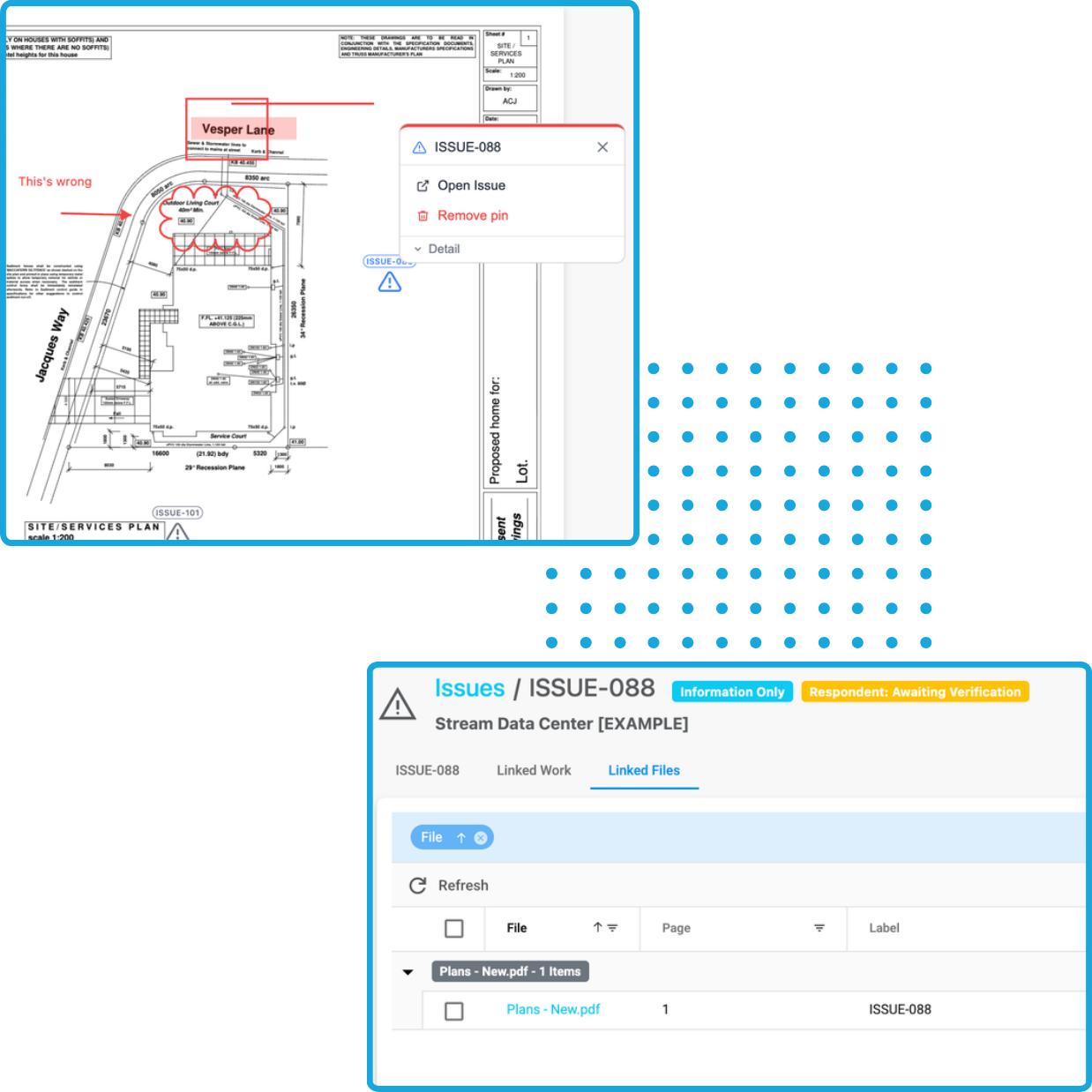
Use PDF markups and pins to connect equipment, issues, commissioning work, and project information directly to drawings.
Make floor plans, schematics, diagrams, and other documents part of your digital commissioning workflow so teams can quickly understand where equipment and issues are located.
Bulk Editing
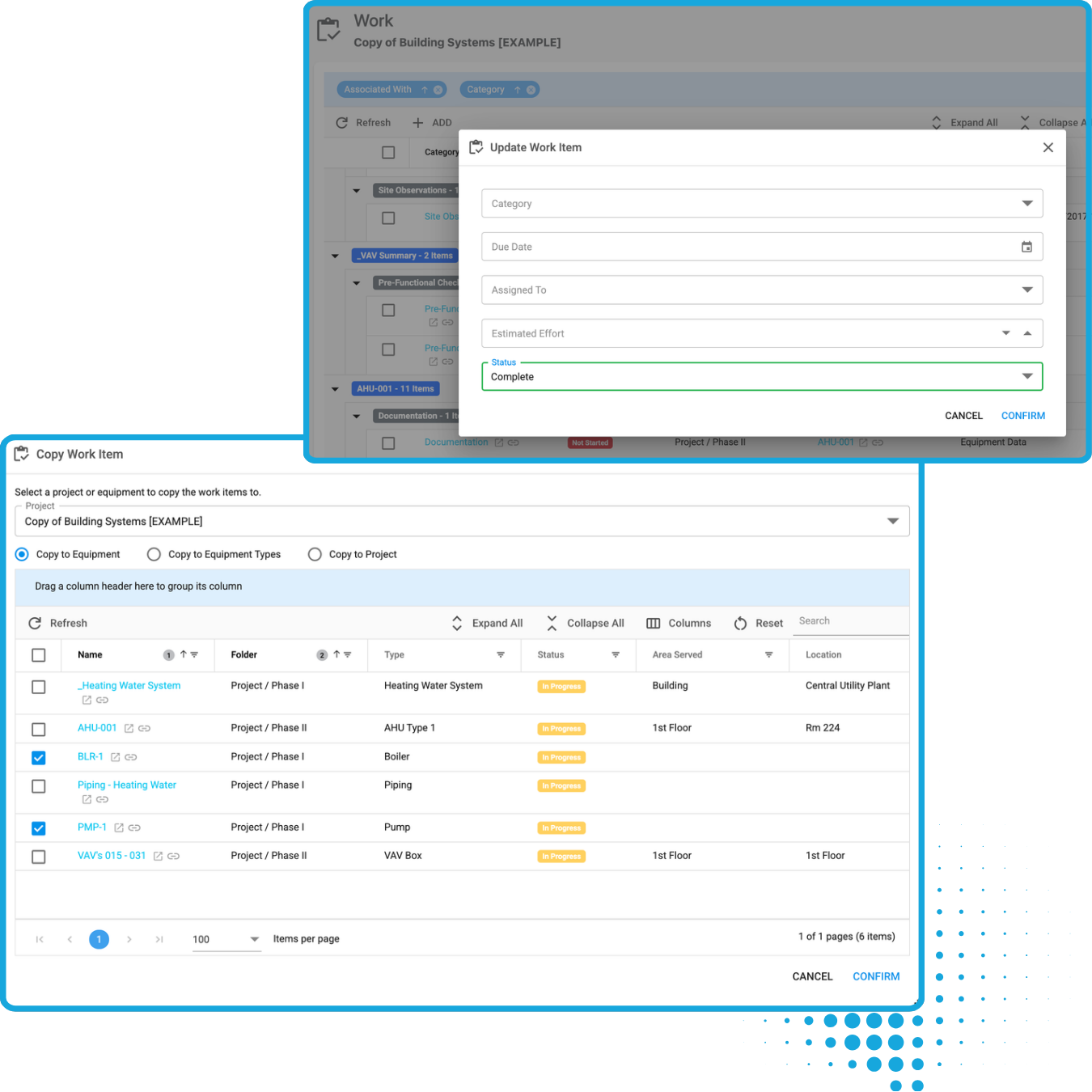
Apply updates across hundreds of pieces of equipment and issues with just a few clicks. Copy checklists and forms onto multiple pieces of equipment at one time.
- Update checklists in bulk
- Update assignments in bulk
- Update issue status in bulk
- Add tags in bulk
- Edit due dates in bulk
Keep Commissioning Meetings Connected to the Project
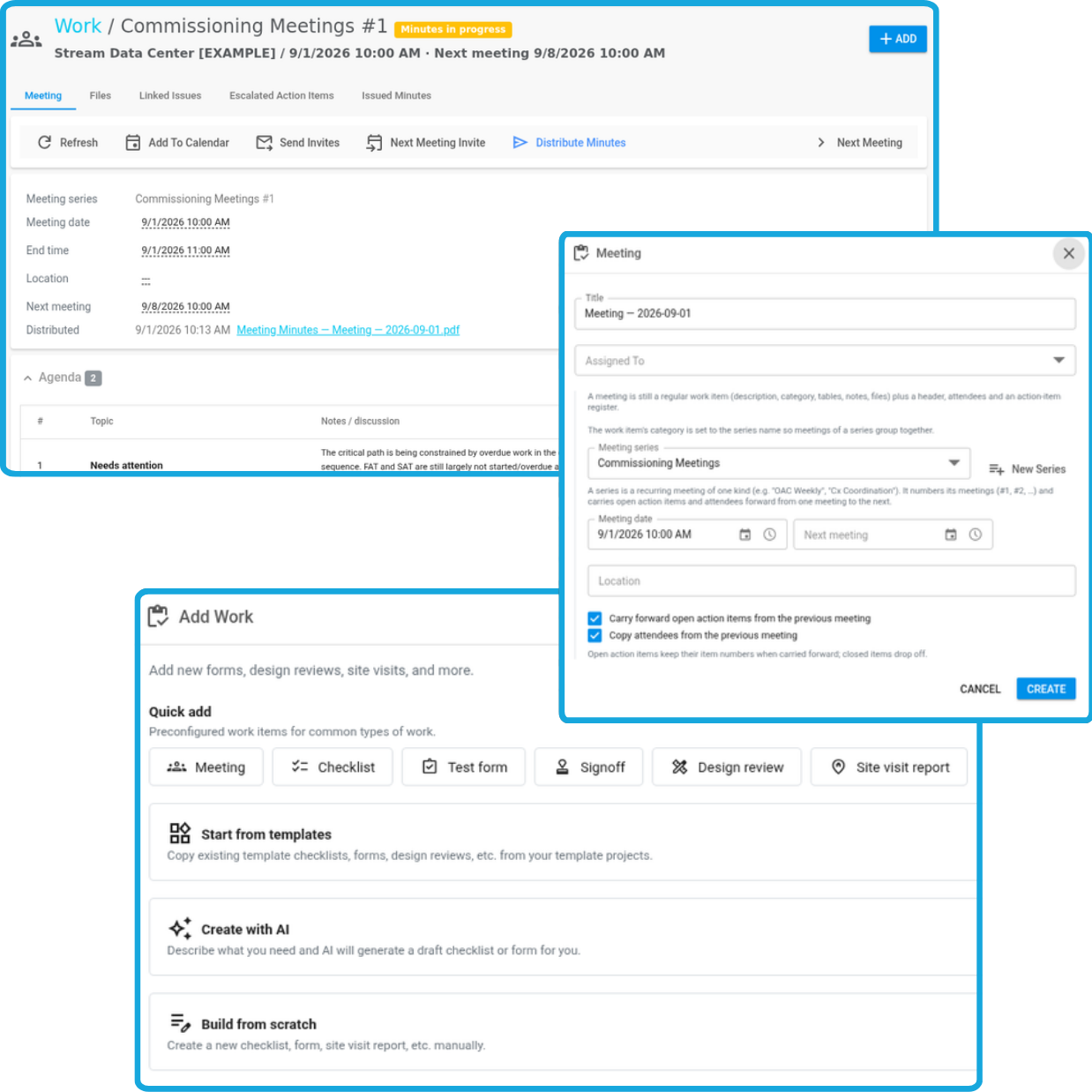
Plan and document commissioning meetings directly in Bluerithm so conversations, decisions, and follow-up actions stay connected to the rest of the project.
- Create and manage meeting agendas
- Track attendees
- Capture meeting notes
- Document key decisions
- Assign and track action items
- Maintain project meeting history
- Keep meetings connected with commissioning data
See Commissioning Progress in Real Time
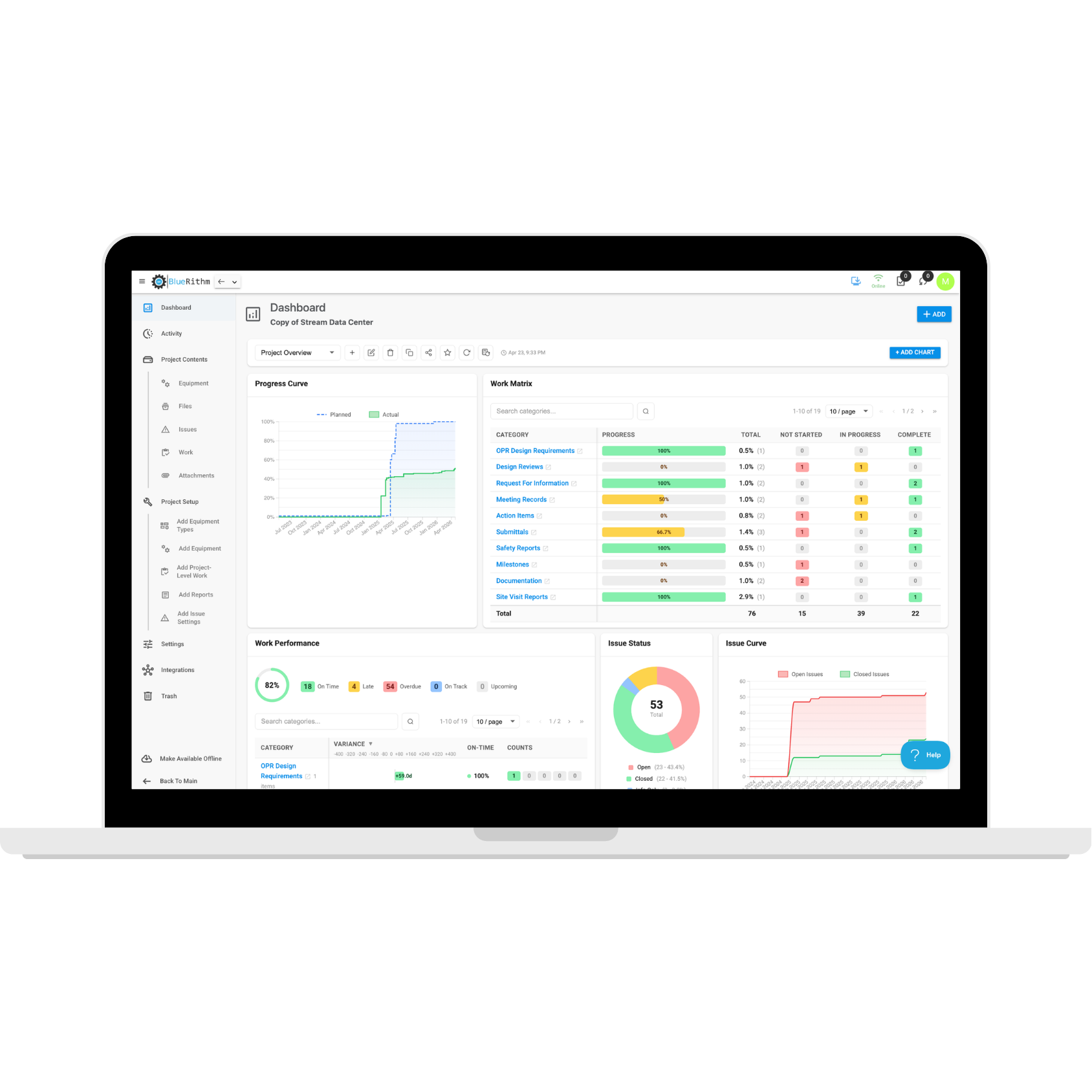
Stop waiting for spreadsheets and manually assembled status reports to understand where a project stands.
Bluerithm Project Dashboards transform live commissioning data into customizable views of progress, testing, issues, equipment, milestones, and other important project metrics.
Track:
- Overall commissioning progress
- Form and checklist completion
- Testing progress
- Equipment status
- Open and overdue issues
- Milestones
- Work by discipline or responsible party
- Custom project KPIs
Know What's Happening Across Every Project
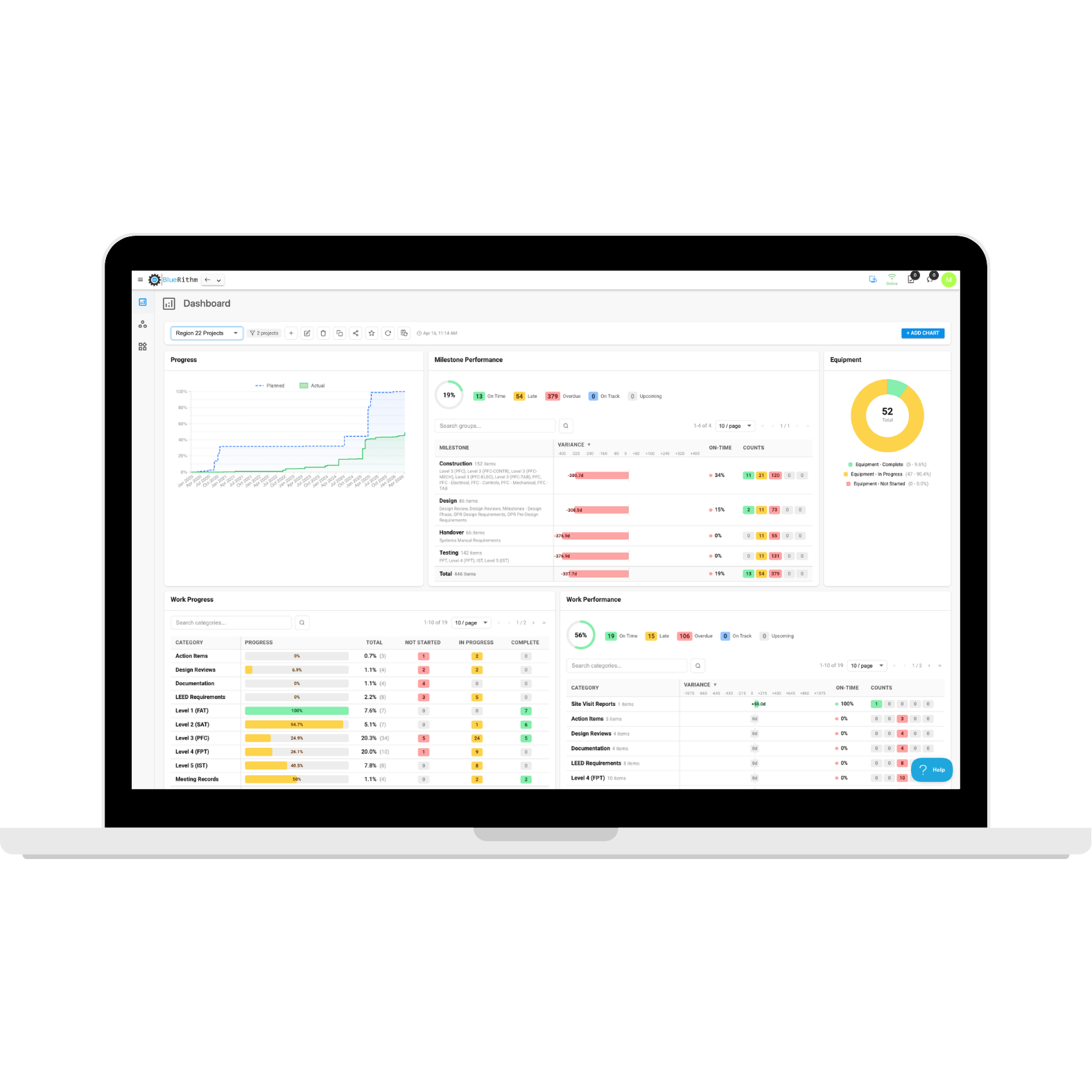
Bring information from multiple projects together with Portfolio Dashboards.
Track performance across clients, programs, campuses, facilities, regions, offices, or any other group of projects without manually combining data.
Give leadership and clients a clear view of:
- Project progress
- Open issues
- Testing status
- Milestones
- Overdue work
- Project comparisons
- Portfolio trends
- Custom KPIs
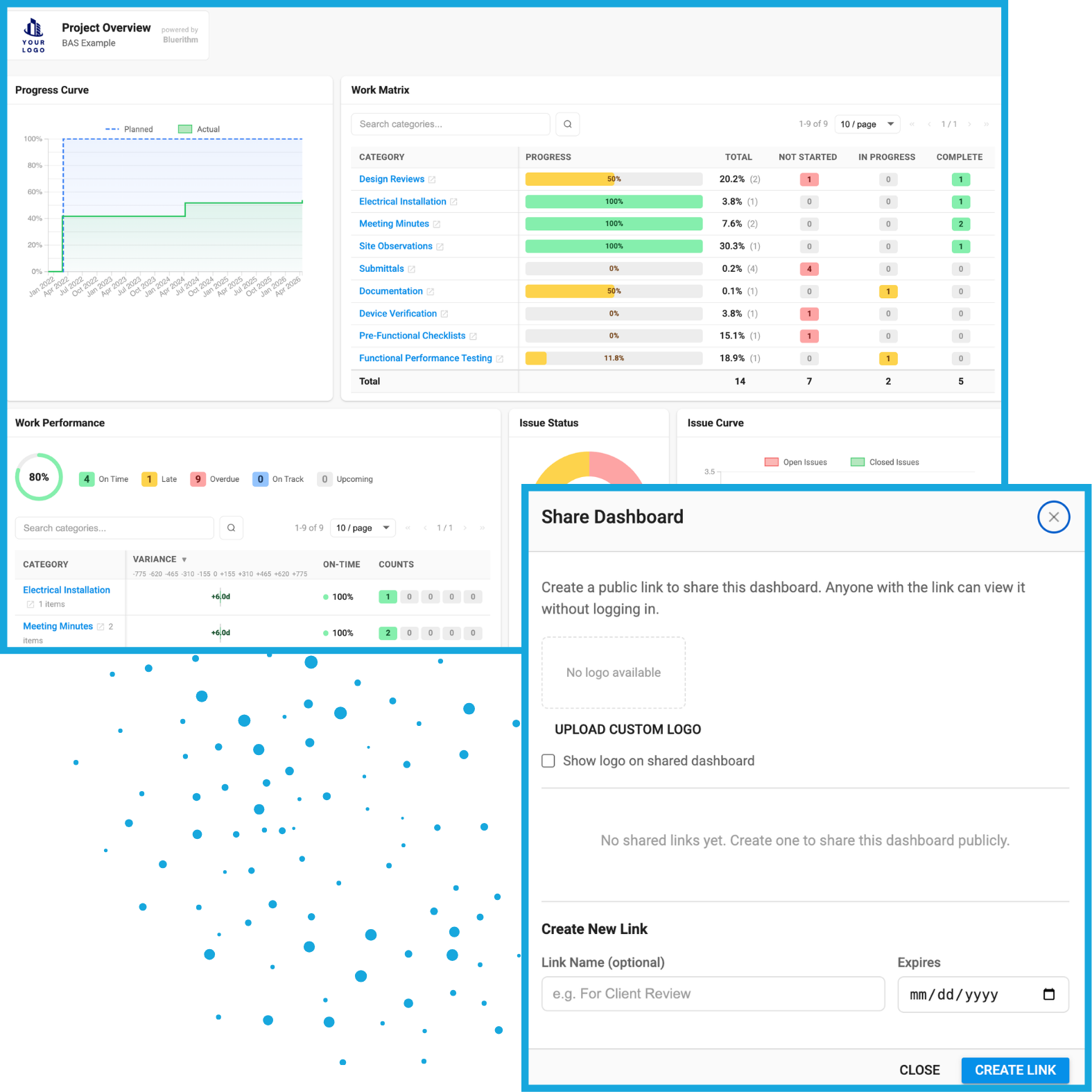
Share Dashboards
Create shareable dashboard links that give stakeholders access to current commissioning information without manually preparing another status report.
Turn Live Project Data Into Professional Reports
Create reports directly from your commissioning data instead of manually assembling information from spreadsheets, documents, and separate systems.
Â
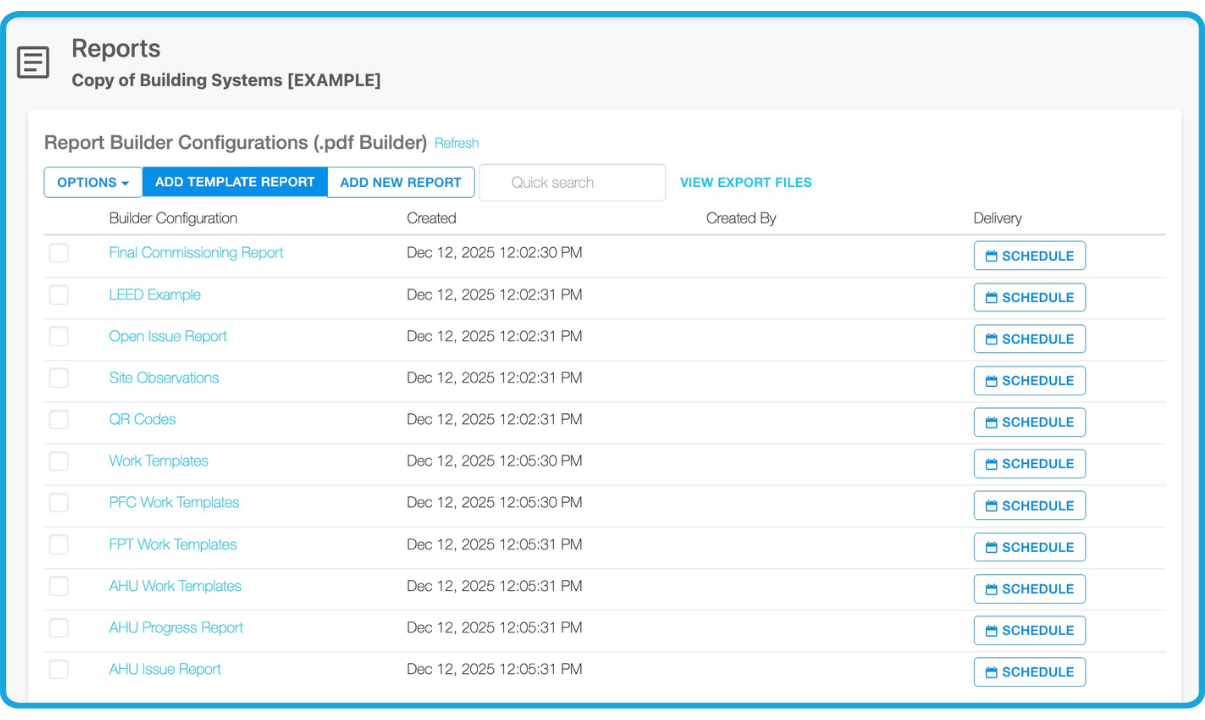
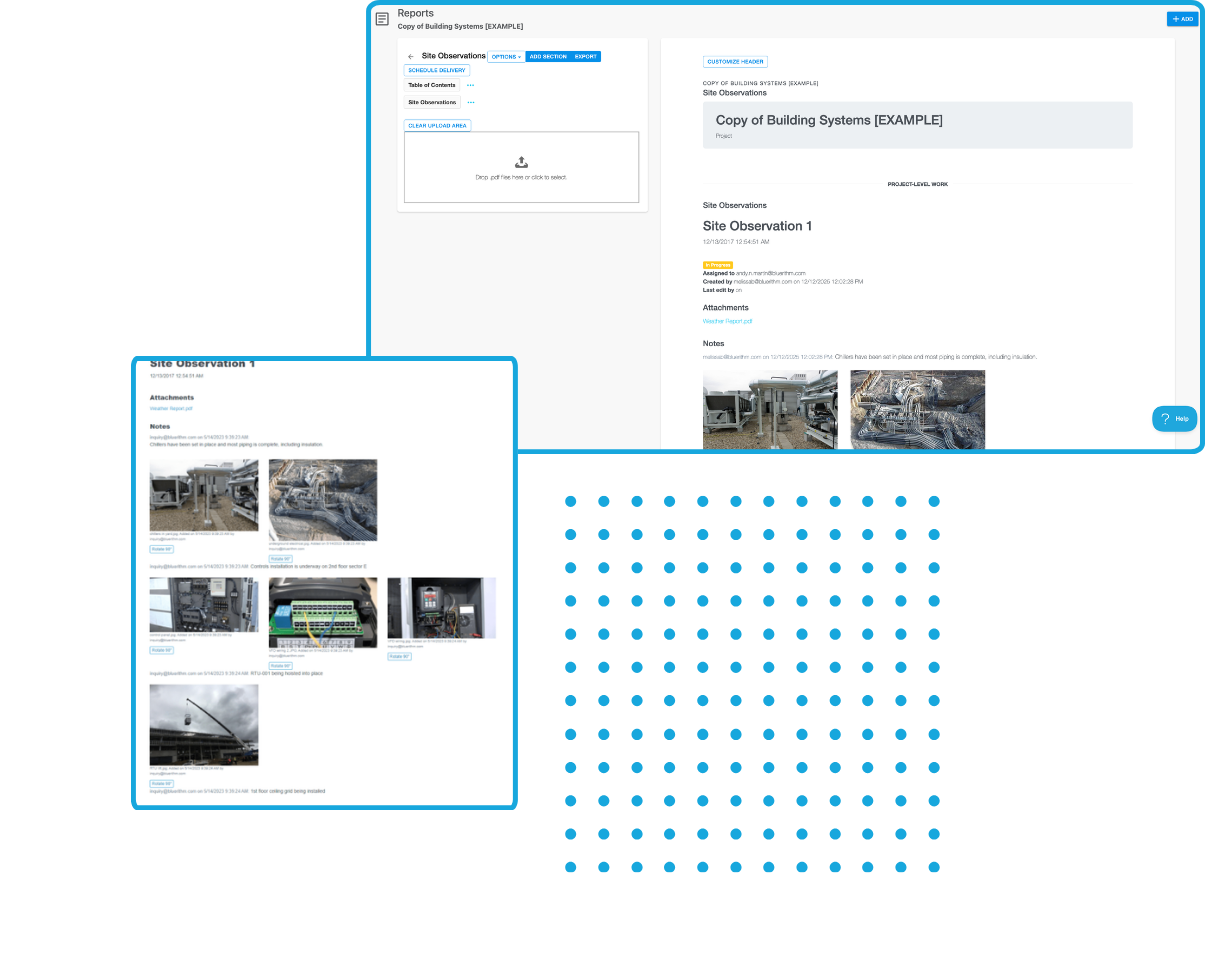
Build reusable report templates that can include project information, issues, forms, equipment, charts, tables, photos, and other commissioning records.
Reusable Report Templates
Standardize the reports your organization produces across projects.
Live Project Data
Embed commissioning information and charts directly into reports.
Flexible Report Builder
Combine project data with formatted text, images, tables, and other content.
Scheduled Report Delivery
Automatically generate and distribute recurring project reports.
PDF Export
Create everything from short status reports to final commissioning documents containing hundreds or thousands of pages.
Use AI to Accelerate Commissioning Work
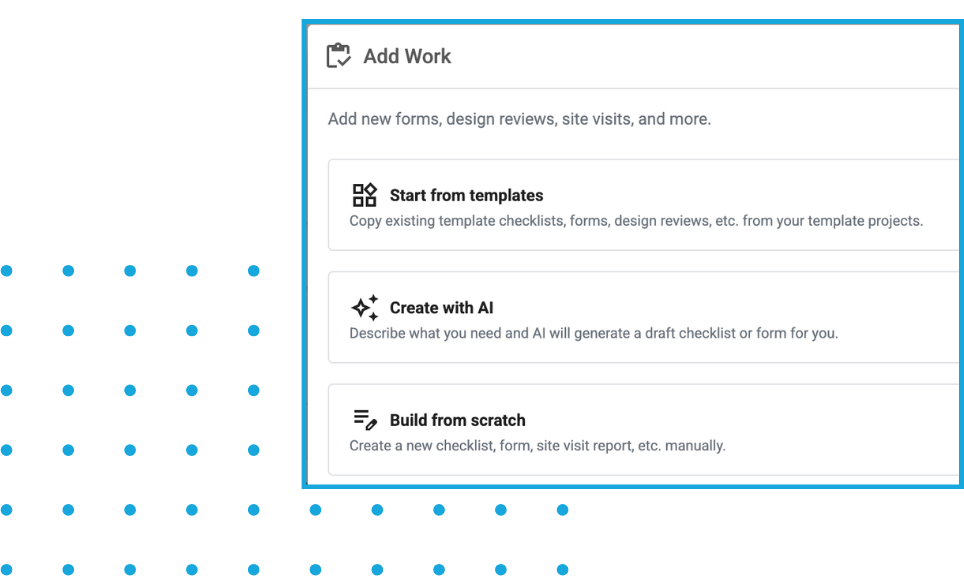
Bluerithm includes AI-powered tools designed to reduce repetitive project setup and administrative work.
Use AI to help:
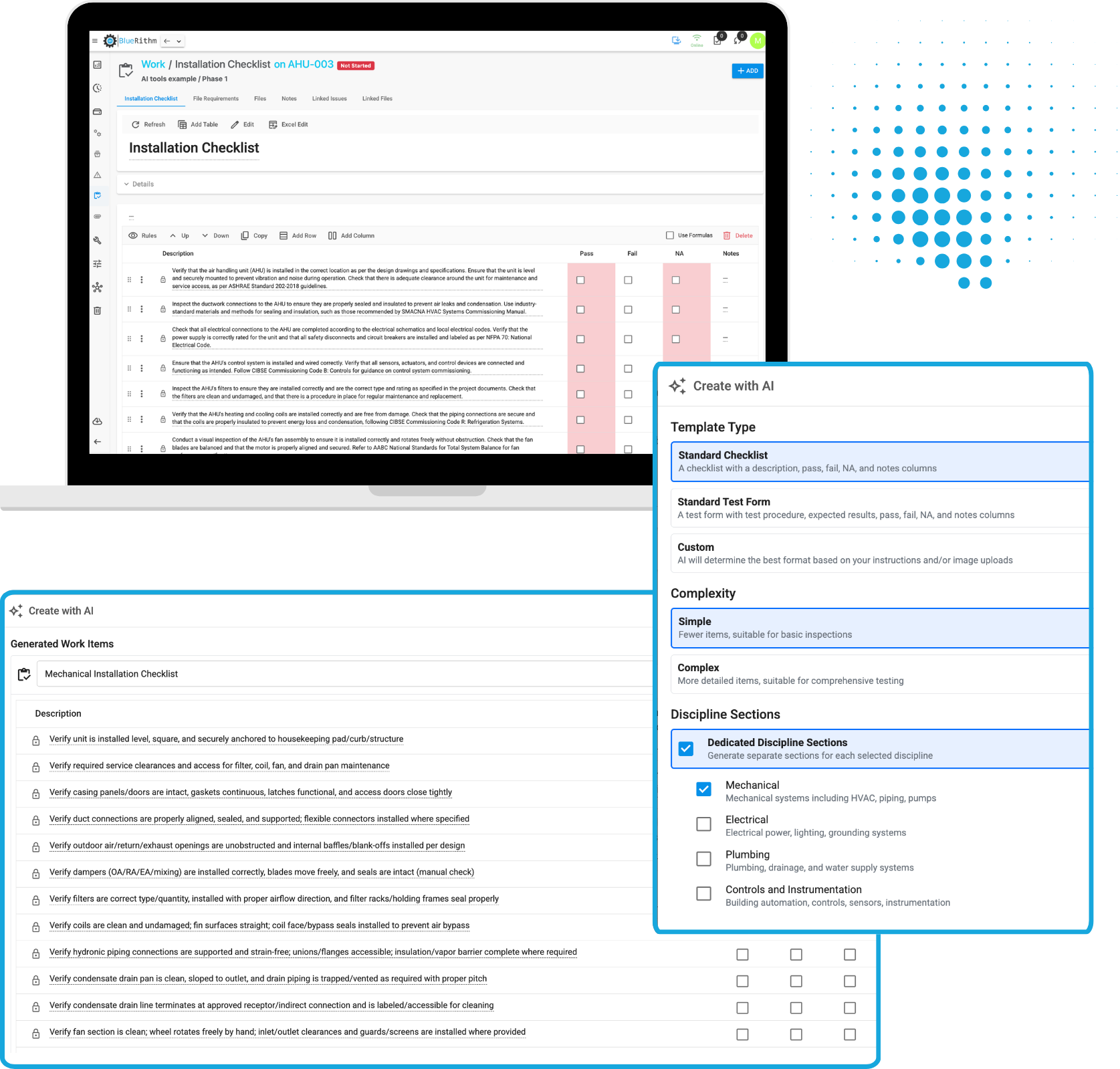
- Create commissioning checklists and forms
- Generate detailed test procedures
- Build forms from sequences of operation
- Create equipment lists
- Import project users
- Create and configure projects
Built for Commissioning in the Field
Give commissioning teams access to the same project information wherever the work happens. Bluerithm works across phones, tablets, and computers with a unified experience designed for both office and field teams. Complete checklists and tests, capture photos, create issues, review equipment, access project documentation, and work with limited or no connectivity and automatically synchronize data when connectivity returns.
Connect Bluerithm With the Rest of Your Technology
Integrate commissioning workflows and data with the tools your organization already uses.
Bluerithm API
Programmatically access data from your Bluerithm account and projects.
View integrationBluerithm MCP Server
Connect Bluerithm with agentic AI tools and create AI-powered commissioning workflows using your project information.
Learn moreProcore Integration
Create embedded dashboards and integrate data to synchronize Procore Observations and Bluerithm Issues.
View integrationAutodesk Construction Cloud Integration
Create embedded dashboards and integrate data to synchronize ACC and Bluerithm Issues.
View integrationA Platform for Every Type of Commissioning
Bluerithm can be configured around different commissioning processes, facilities, systems, industries, and project requirements.
Building Commissioning
Manage equipment, pre-functional checklists, functional performance testing, issues, dashboards, reporting, and closeout across building commissioning projects.
Explore Building Commissioning SoftwareIndustrial Commissioning
Manage equipment and tags, ITRs, checksheets, completions, punch lists, system readiness, testing, dashboards, and turnover.
Explore Industrial Commissioning SoftwareLEED Commissioning
Organize LEED commissioning requirements, documentation, testing, issues, reporting, and certification records in one connected workflow.
Explore LEED Commissioning SoftwareBuilt for Projects of Every Size
From individual commissioning projects to large enterprise programs, Bluerithm gives teams a consistent platform for managing commissioning without sacrificing flexibility.
Â
Use Bluerithm across:
Commercial Buildings
Data Centers
Healthcare Facilities
Airports
Universities and Schools
Industrial Facilities
Government Facilities
Manufacturing
Solar
BESS
Wind
Mining and Heavy Industry
See What Commissioning Teams Are Doing With Bluerithm
Real success stories from organizations using Bluerithm.
Commissioning Projects
How JB&B Field™ Took Its Esteemed Commissioning Process to the Cloud
Municipal Commissioning Projects
How Matador Engineering Delivers Mission-Critical Commissioning with Bluerithm
BESS Commissioning Projects
How CHARGE POWER Technologies Saves Dozens of Hours, 1000’s of Pages on Every Project
Bring Your Commissioning Process Into One Platform
Replace disconnected spreadsheets, PDFs, paper forms, and standalone tracking tools with a flexible platform built specifically for commissioning.
Try Our ROI Calculator
Estimate the time and cost savings your team could gain with Bluerithm!
30,000+ people
use Bluerithm to manage their commissioning projects
Digitize and streamline your processes